The vendor calendar opens as a timing desk
The date was never the hard part. Holding your notice deadline against the vendor's quarter close, on one screen, in the same second, is. That is what shipped.
Almost nobody misses a renewal because they did not own a calendar. They miss it because the calendar was a list of dates in one place and the leverage lived somewhere else. The notice deadline sat in a clause on page nineteen of an MSA. The vendor's quarter close sat in an investor relations page someone bookmarked in 2023. The spend number sat in finance. By the time a buyer assembles the three into a single view, the useful window has usually narrowed from ninety days to eleven, and the conversation stops being about price and starts being about whether the invoice can be paused. We have rebuilt the fiscal calendar so those three things arrive together. The vendor calendar now opens as a timing desk.
The named problem: you knew the date and still lost the window
Here is the failure pattern we see most often in buy side reviews, and it is not carelessness. A procurement lead knows a contract renews on 31 March. What they do not have to hand is that the notice period is sixty days, which makes the real deadline 30 January, and that the vendor's fiscal year ends 31 January, which means the week their leverage evaporates is precisely the week the vendor's account team is most motivated to close. Two facts, one week apart, held in two different systems. The buyer arrives on 5 February with a case, a benchmark and a well written counter, and the vendor's quarter has already banked. Everything the buyer prepared was correct. It was three weeks late.
We have written before about why vendor fiscal calendars decide when discounts actually move. The argument has not changed. What changed is that knowing the argument was never enough, because acting on it required a buyer to hold four data sources in their head at once. The calendar is now the place where those sources meet, and you can open it at the vendor calendar.
Four views on one masthead
The calendar is now an application rather than a page. Four views share one masthead, and you move between them with the number keys 1 to 4. The forward slash opens search from anywhere. That sounds like a small interaction detail. In practice it is the difference between a tool you consult twice a year and a tool you keep open on the second monitor during renewal season.
The Timeline is the instrument you already know, unchanged in principle: vendor quarters and year closes laid along a horizon so you can see where the pressure sits. The Agenda is the new one that most buyers will live in. It threads your own notice deadlines into every vendor quarter and year close inside the horizon and returns one chronological ledger grouped by month. Your 30 January notice deadline and the vendor's 31 January year close appear one line apart, in order, because that is the order in which they will actually happen to you. No cross referencing. No mental arithmetic about counting back sixty days from a renewal date.
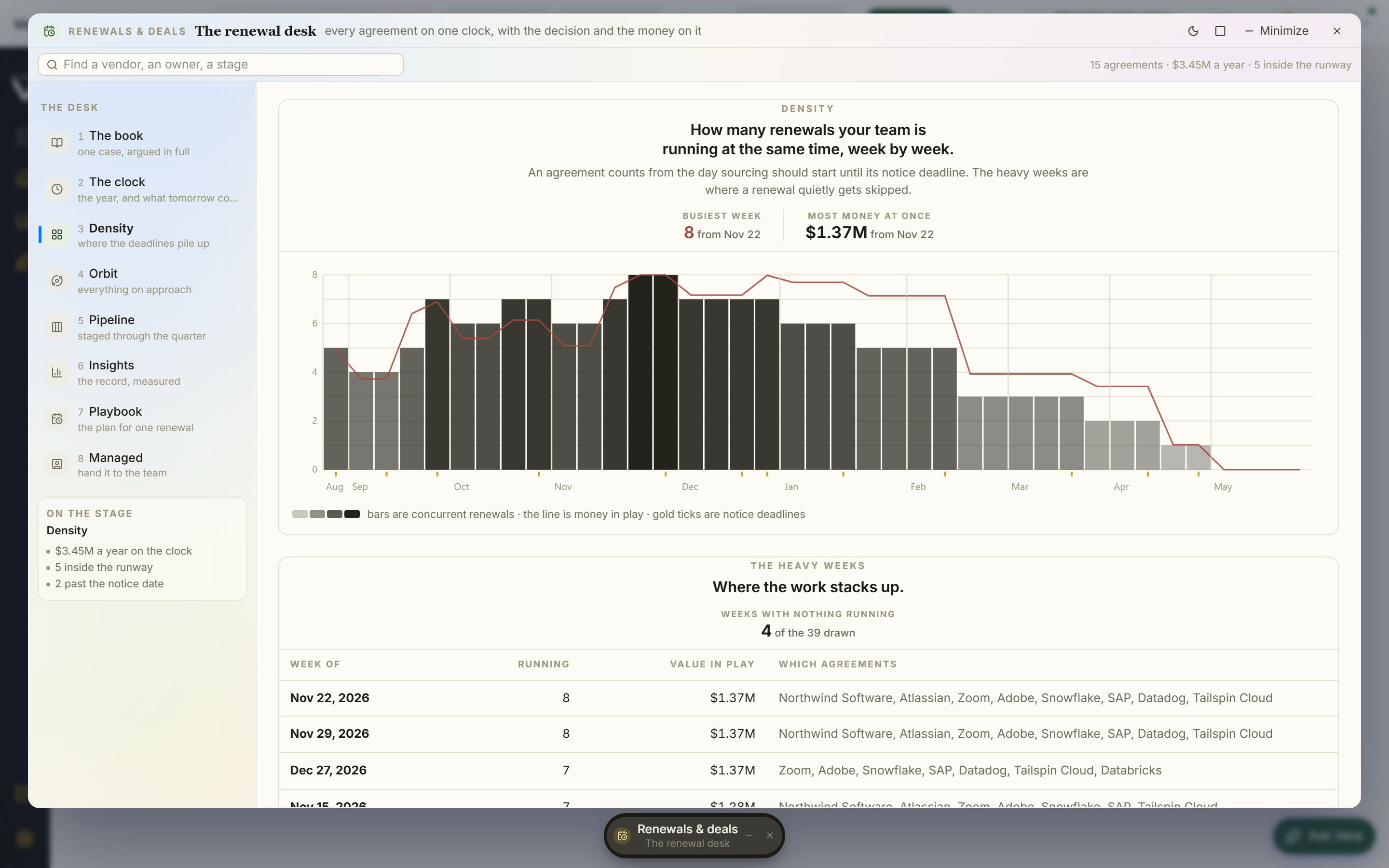
Close pressure lays the twelve months ahead out as a grid, with the busiest window flagged in gold. This is the view for planning capacity rather than working a single deal. If four of your top ten vendors close inside the same six week band, that is a resourcing problem before it is a negotiation problem, and you would rather see it in September than discover it in January. Your renewals is the bench: every place where one of your deadlines meets one of their closes, each row carrying the timing read and the alignment strip so you can tell at a glance whether the calendar is working for you or against you.
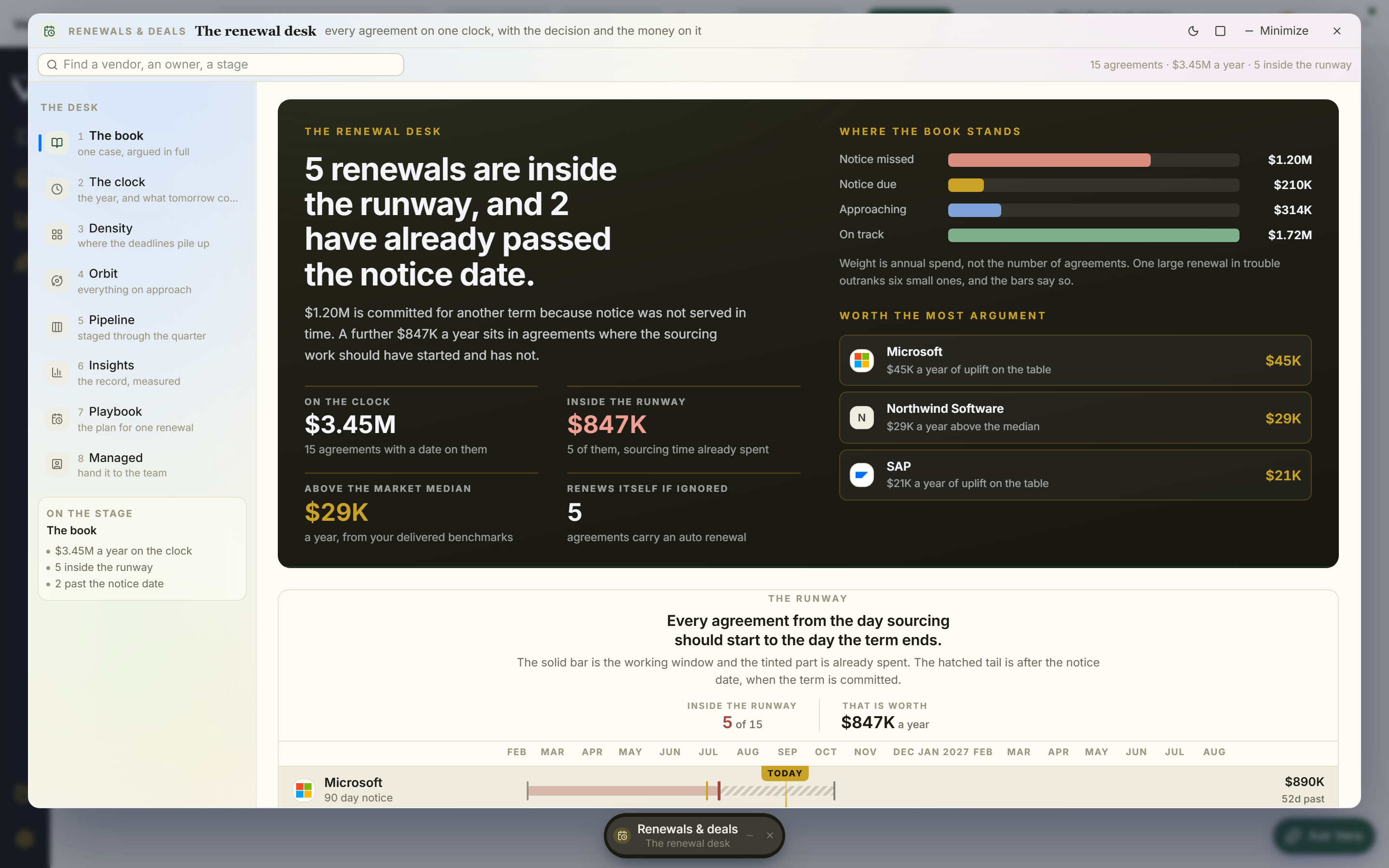
Every vendor name is a door
The views are the map. The dossier is the work. Clicking any vendor anywhere in the calendar opens their dossier, and the dossier is built around one question: if I act on this vendor today, what exactly do I do next?
It carries their next four closes, so you are not planning against a single date but against a sequence. It carries the timing read, which is our directional view of whether this window favours you. It carries your agreements on that vendor, because most buyers discover mid negotiation that the vendor they thought they had one contract with actually has three. And it carries the moves, ready rather than promised: the notice letter, the Benchmark case, the calendar file, and the deadline watch.
The deadline watch deserves a sentence of its own. It stays off unless you turn it on. We made that choice deliberately. A monitoring feature that defaults to on trains people to ignore its alerts within about six weeks, and an ignored alert is worse than no alert because it manufactures false confidence. You switch on the watch for the deadlines you have decided matter. Everything else stays quiet.
If the vendor turns out to need a full counter rather than a letter, the case in the dossier hands off cleanly into the Negotiation Dossier, where the counter offer becomes a document rather than an email. And when the quarter ends, the same four closes are what you put in front of the business in the renewals QBR, straight from the calendar, with no rebuild.
What changes for a buyer
Honest limits
This is a timing instrument, not an oracle, and it is worth being precise about where it stops.
First, the Agenda is only as accurate as the contract data behind it. If a notice period was never extracted, or an amendment changed the term and the amendment was never uploaded, the deadline shown will be wrong in the direction that hurts. Before you trust the Agenda for a material vendor, check that the underlying agreements are complete. Running the contract decode over the top five agreements first is a reasonable half day of insurance.
Second, fiscal quarter close dates are structural facts, but close behaviour is not uniform. A vendor's year end is reliably the highest pressure moment across the business. Whether your specific account team feels that pressure depends on their regional quota position, their coverage model and whether your deal is material to them at all. A small renewal inside a large territory may see very little quarter end flexibility. The timing read is directional and should be treated as a prior, not a forecast.
Third, the moves in the dossier are drafts. The notice letter is a properly structured starting point built from your contract terms, and it still needs a named signatory, your legal review and delivery by whatever method the contract specifies. Notice provisions frequently require registered post or a specific named address, and a calendar tool cannot verify that you complied. Where auto renewal language is genuinely ambiguous, and it often is, that is a legal reading rather than a calendar reading. If what has landed is a compliance notice rather than a renewal, the audit letter decoder is the right starting point instead.
Fourth, nothing here sends anything on your behalf. No letter leaves, no meeting is booked, no vendor is contacted. The calendar prepares and you decide. We think that is correct for procurement, where a single mistimed communication can reset a negotiation, but it does mean the last step remains manual by design.
Fifth, close pressure is a planning heuristic. A gold flagged window tells you that your obligations concentrate there. It does not promise that discounts are available there. Concentration is a workload signal first and a leverage signal second.
What the desk genuinely fixes is the assembly problem. The dates, the deadlines, the agreements and the first move now arrive in the same place at the same time, which means the ninety day window stays a ninety day window instead of collapsing into eleven days while someone reconciles a spreadsheet. Press 1 for the Timeline, 2 for the Agenda, 3 for close pressure, 4 for your renewals, and forward slash to find any vendor by name.
Fredrik has spent more than twenty years in enterprise software, with time at Oracle, IBM, SAP, and Salesforce before moving to the buy side. He structured and priced the kind of large agreements most buyers only see once or twice in a career, which taught him where the leverage sits and how far a vendor will actually move. He started VendorBenchmark to hand that knowledge to every sourcing team.