07 · Common workflows
The chapters before this one document the platform screen by screen. This chapter is the other way in: start from what you are trying to get done, and follow the steps across whatever screens it touches. Forty recipes cover the jobs buying teams actually run, and every recipe links back to the reference sections for detail.
Each recipe carries the same equipment: For (who runs it), Time (an honest estimate of your effort, not the platform's), You need (what to have before starting), the Steps, the Forks (the decision points where real runs diverge), and Done when (the observable state that means you can stop). Time estimates are for a prepared run; your first pass through any recipe takes longer, and that is normal.
The recipes
Benchmark a proposal end to end
Get an analyst benchmark on a vendor quote or contract, from upload to a report you can forward.
For: anyone · Time: about 10 minutes of yours; the report follows per the analyst queue · You need: the quote or contract as PDF or DOCX, and one sentence on what you want answered
Watch: Benchmarking (4:23)
Steps
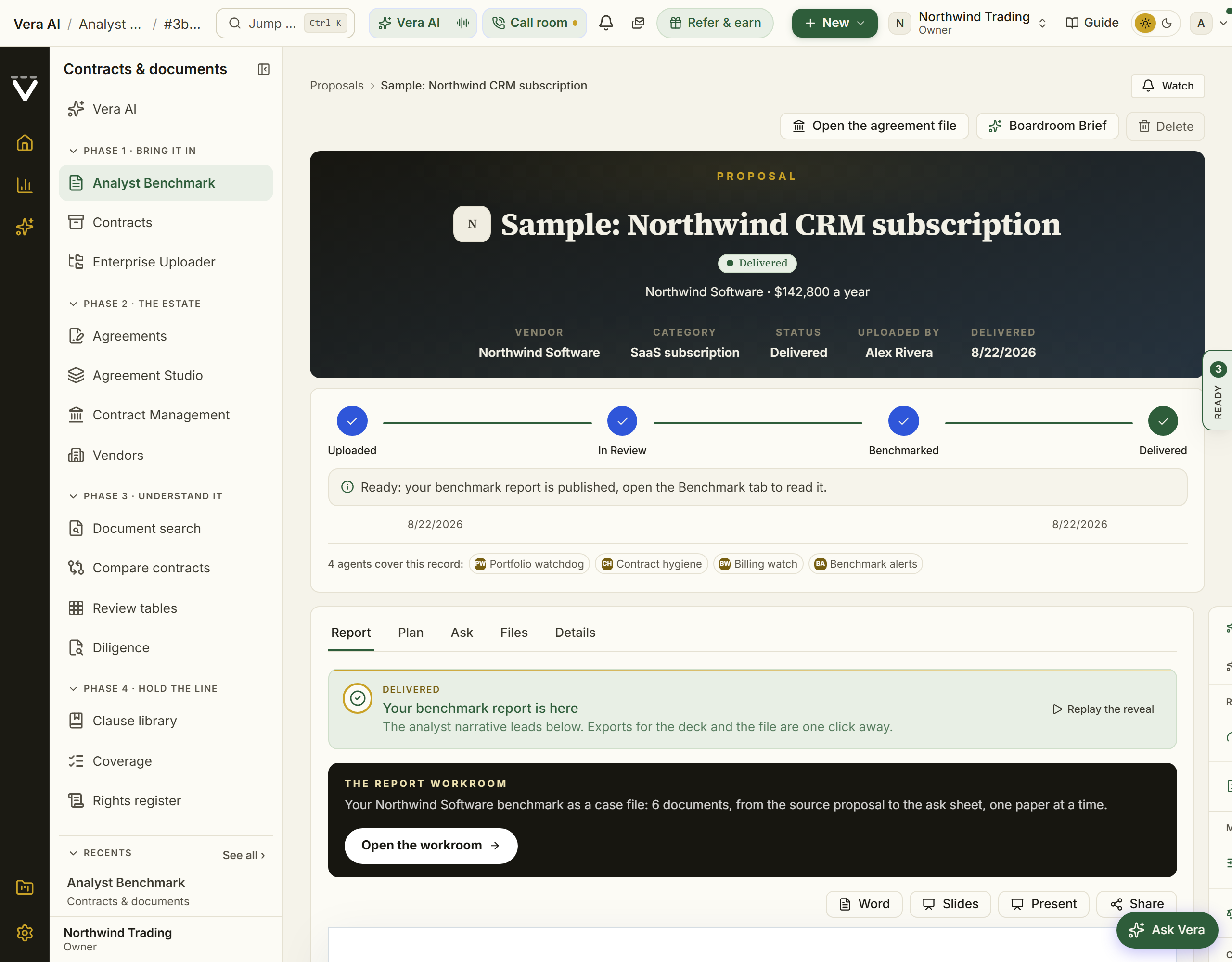
- Open Contract Office and choose Upload a proposal. Upload the file (up to 20 at a time, 200 MB each); vendor, value, term, and seat fields fill in as it is read.
- Correct anything shaded gold or red, then add your benchmark focus: the question you actually want answered, for example "is this renewal uplift fair?" The one-click starter template matched to the category is a good skeleton.
- Confirm. The proposal moves along the path Uploaded, In review, Benchmarked, Delivered, and every stage change reaches you by alert and email, including the expected delivery date when an analyst picks it up.
- While you wait, get an immediate read on the same document: an instant benchmark for the market position, or the AI redline scan for risky clauses.
- When the report lands, read it the way it argues: the finding first (your discount, the peer range, the rank), then the evidence. Delivered reports explains every part, and the downloads (PDF, Word) live on the report itself.
- About 30 days later, answer the one-touch What happened? follow-up. A won reduction, with its annual figure, files itself into your realized savings on the Savings statement.
Forks
- If the upload ends as Saved, not queued — your plan's benchmark allowance is used up. The proposal page resolves it in place: an owner adds a benchmark credit ($5,000 per analyst benchmark, billed by invoice), or a teammate asks their owner in one click. See Contract Office.
- If the document shows no list price — the report benchmarks the rates your document does state against what comparable customers pay for the same product at the same size, says plainly that your document prints no list so the comparison is rate against rate, and names what to have the vendor confirm in writing. No percentage off a list you cannot see is printed. That is the report working as designed, not a gap.
- If you need the answer today — do not wait for the queue: run Get an instant price read now and let the analyst report deepen it later.
Done when: the report is delivered, forwarded to whoever negotiates, and the 30-day outcome question is answered so the saving is on the record.
See also: Contract Office · Delivered reports
Get an instant price read, no upload
When you need a number in minutes rather than a full analyst report.
For: anyone · Time: 2 to 10 minutes · You need: the vendor name and roughly what you pay or were quoted; the vendor's document makes it sharper but is optional
Watch: Is this quote fair? (2:04)
Steps
- Open Benchmark Library, type the vendor, and answer the questions. You get the three answers that matter: the discount you are being offered, what comparable customers get as a range with its midpoint, and where your deal ranks.
- Have the vendor's own document? Upload it on step 1 of the Negotiation Workflow instead (Upload a quote, plans that include AI): the platform reads the deal off the document and returns a six page negotiation brief in a deal pricing screen, usually in about three minutes.
- For the fastest possible answer to "what is a good discount for this vendor," ask exactly that in the Ask the market bar: the quick ask buttons carry the question, and the answer comes back grounded and cited.
- To judge a specific document rather than a deal, run Contract Agent for the clause-by-clause read with paste-ready asks, or upload the document on the ask bar at the top of Home and ask what is wrong with it.
Forks
- If the vendor has several benchmark tools — the search bar lists them beneath your query; pick the product line that matches your deal. Matching vendor and product both is what makes the cohort honest.
- If the range comes back directional — too few comparable deals sit in your size band and region. Widen the region for the deeper cohort rather than forcing a thin one.
- If you are on the trial — instant benchmark runs are capped (see the plan table), so spend them on the vendor you are actually negotiating.
Done when: you can say, in one sentence, your discount, the peer range, and the rank, and you know which of the three the vendor would least like you to know.
See also: Benchmark Library · Contract Agent · Second opinion
Track agreements and never miss a notice window
Set an agreement up once and let the platform watch the deadline for you.
For: anyone; the alert choices are per person · Time: a minute per agreement · You need: the vendor, the expiry date, the notice period, and ideally the annual value
Watch: Commitments slip (3:40)
Steps
- Open Agreements and choose Add agreement: vendor, expiry date, and a 30, 60, or 90 day notice period. Add the annual value so the agreement also feeds your spend and portfolio analytics, and the uplift cap if the contract carries one.
- Attach the signed document, up to five files per vendor, for safe keeping.
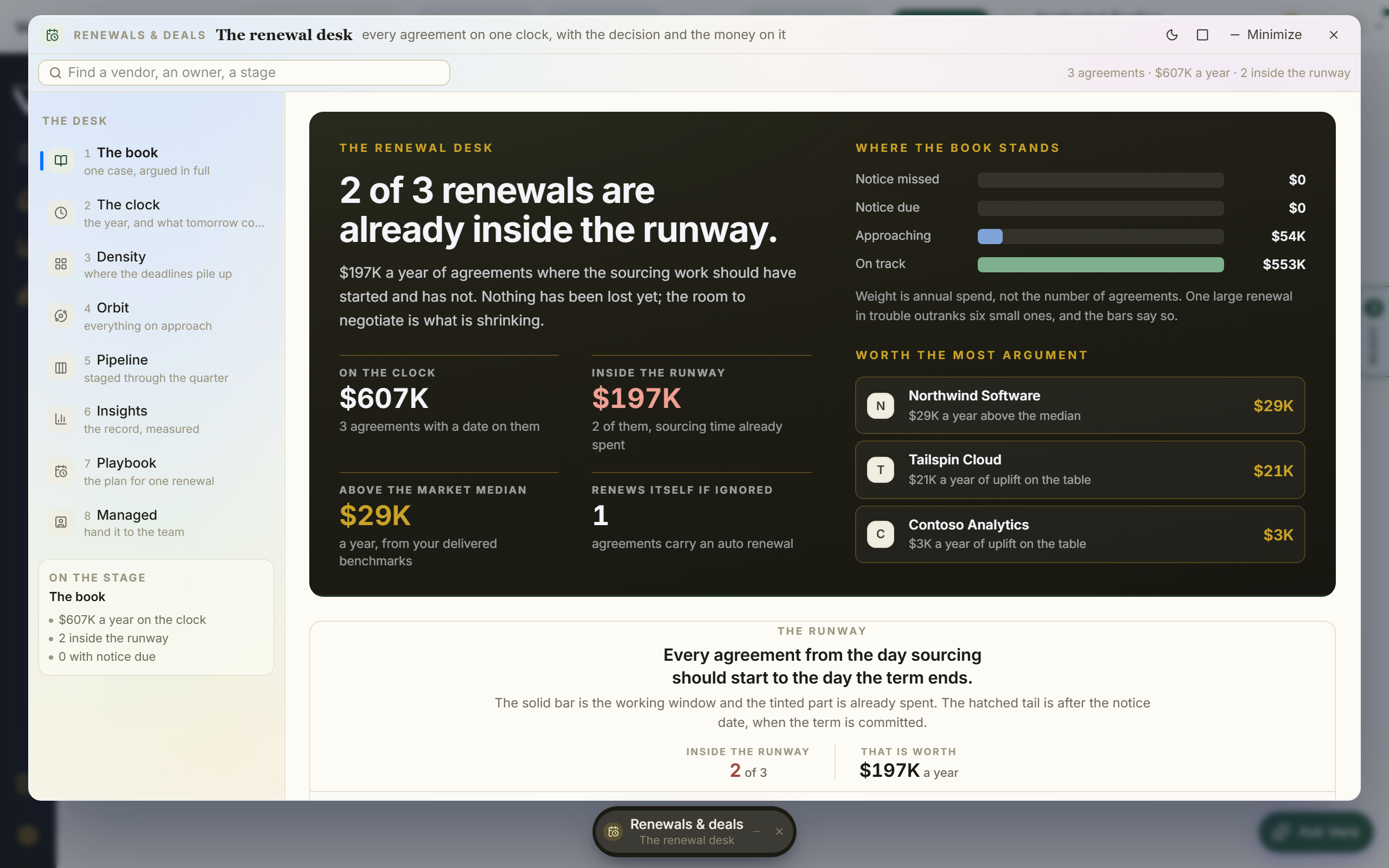
- Open Renewals to see every agreement sorted by expiry, next deadline on top, and the Renewal calendar for the year.
- Decide what may interrupt you: renewal alerts are strictly opt-in and start silent. Press Turn on money-critical alerts under Notifications to switch the renewal set on in one click; teammates who turned them on are emailed when an agreement enters its notice window.
Forks
- If an agreement has an expiry but no notice period — it has no window to miss, so nothing can be watched. The notice period is the field that buys you time; hunt it down in the contract (the termination or renewal clause) rather than leaving it blank.
- If you are past 40 tracked vendor agreements — you have outgrown hand entry. Move to the folder upload or the Enterprise Uploader in Migration & data-in.
- If the vendor asks for more than your uplift cap at renewal — the ledger masthead already counts that exposure, and Anomalies flags the breach.
Done when: the next four quarters are visible on the ledger, every agreement that matters carries both dates, and the notice-window email has a recipient.
See also: Agreements · Renewals · Vendor calendar
Plan and run a renewal negotiation
Turn an upcoming expiry into a worked deal with a plan, a mandate, and a record of what was agreed.
For: whoever owns the deal · Time: an hour to stand the deal up; the negotiation itself runs weeks · You need: the renewal on your calendar and a market read (see the fork below if you lack one)
Watch: Negotiation Clinic (2:21)
Steps
- From Renewals, open the renewal you want to work.
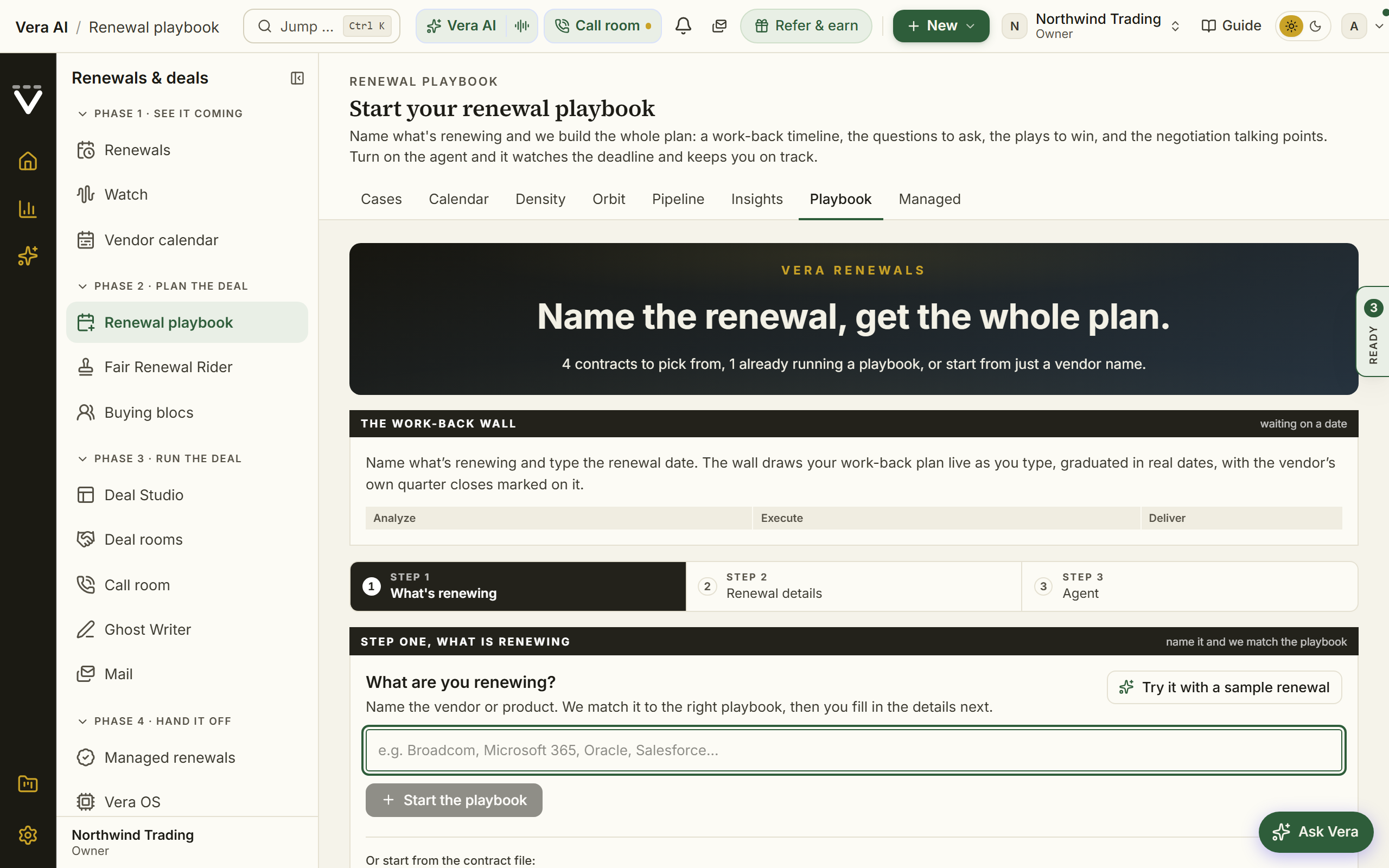
- Build the plan in the Renewal playbook: the step-by-step negotiation plan, the model, and the exec report. Turn on the agent if you want it to prep and remind.
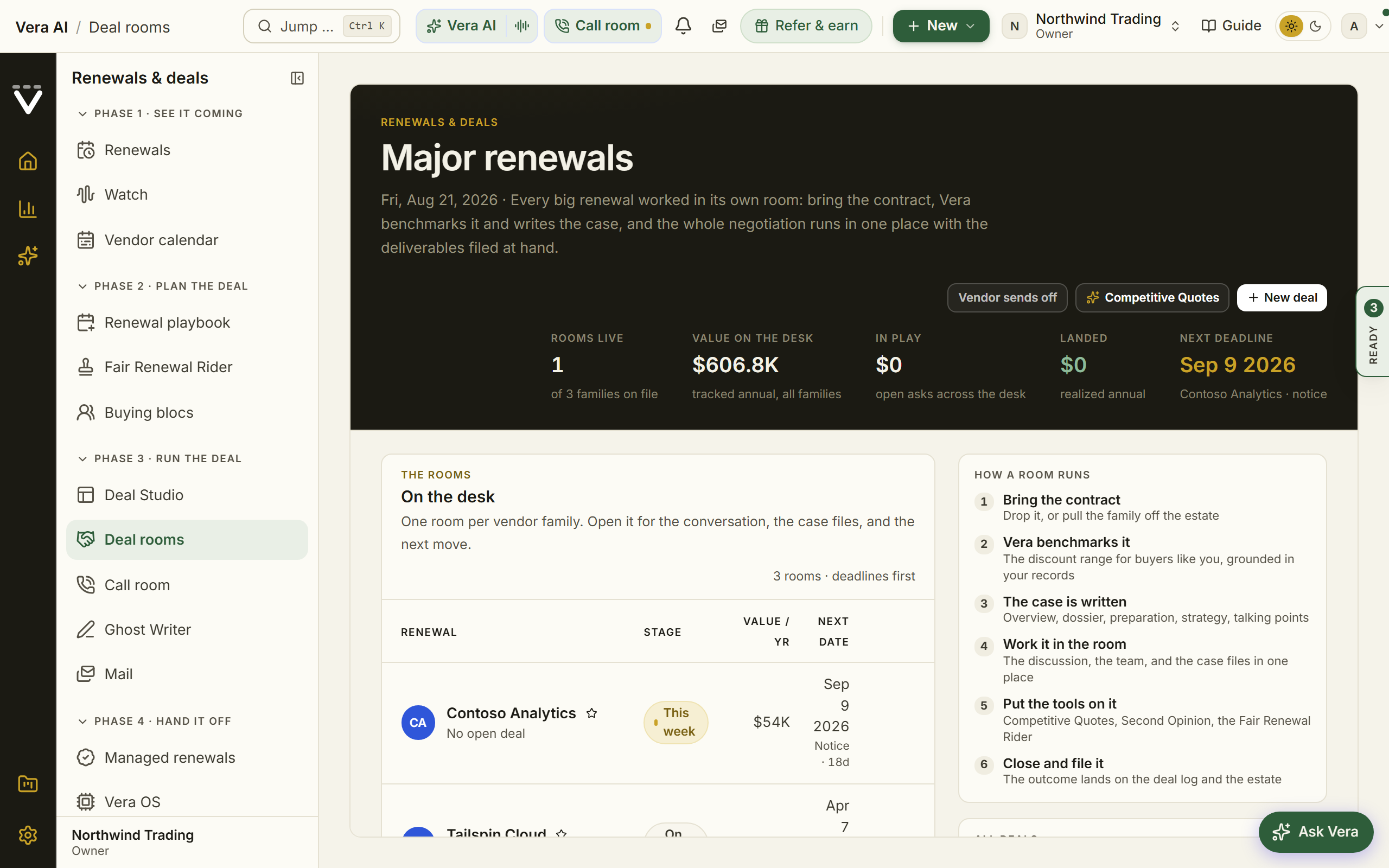
- Set your leverage before the first call: your positions in the Contract policy, and the Fair Renewal Rider attached so every renewal carries your standard protections.
- Open a tracked Negotiation and set the mandate: target, walk-away, and approvals if your organization runs a sign-off chain.
- Work the rounds from inside the record: paste vendor emails for tactic analysis, log every give and get in the concession ledger, and capture each vendor promise under Commitments so it reaches the contract rather than dying in an inbox.
- Close it properly: run the post-mortem, and record the outcome from the contract's page so the saving lands in realized savings on the Savings statement.
Forks
- If you have no market read yet — stop and get one first (Get an instant price read). A mandate set without the peer range is a guess with a signature line.
- If the vendor's first response concedes little — escalate the pressure honestly: price the credible alternative with Build competitive scenarios, check the timing against their quarter on the Vendor calendar, and consider handing the grind to a Vera-run case.
- If deal approvals are enabled — request sign-off from the deal's page before signature; approvers clear it from their Decisions queue.
Done when: the mandate is set, the ledger reflects every round, the commitments list matches the final document, and the post-mortem is written.
See also: Renewal playbook · Major renewals · the Spend Agent's Savings step
Prove and share your savings
Turn a claimed saving into one verified against real invoices, in figures finance can check.
For: whoever answers to finance · Time: minutes per saving; the proof accrues as invoices arrive · You need: a closed outcome (a negotiated reduction, a corrected invoice) and the invoices that followed
Watch: Prove what sourcing saved (2:10)
Steps
- Record the outcome where it happened: answer the 30-day What happened? question after each delivered benchmark, and record negotiation outcomes from the contract's own page when deals close.
- Read the result on the Savings statement: it carries realized savings verified against the invoices that followed, so a claim becomes proven or disproven rather than asserted.
- Share the number from the same page: Print / Save as PDF gives finance the verified figures.
Forks
- If the contract has no stored annual value — the follow-up question asks for the pre-reduction baseline, because without it the saving cannot be reconciled against invoices. Take the minute; an unreconciled claim is the kind finance discounts.
- If later invoices contradict the claim — the saving reads disproven, and that is the feature: your number only survives contact with billing. Investigate on Invoices before anyone forwards the figure.
Done when: the saving reads proven and the figure you would show a CFO traces to invoices.
See also: Savings statement · Invoices
Prepare for a vendor meeting
Walk into the call with the numbers already in hand.
For: anyone taking a vendor call · Time: 15 minutes · You need: the vendor's document on file
Watch: Never walk in blind (2:21)
Steps
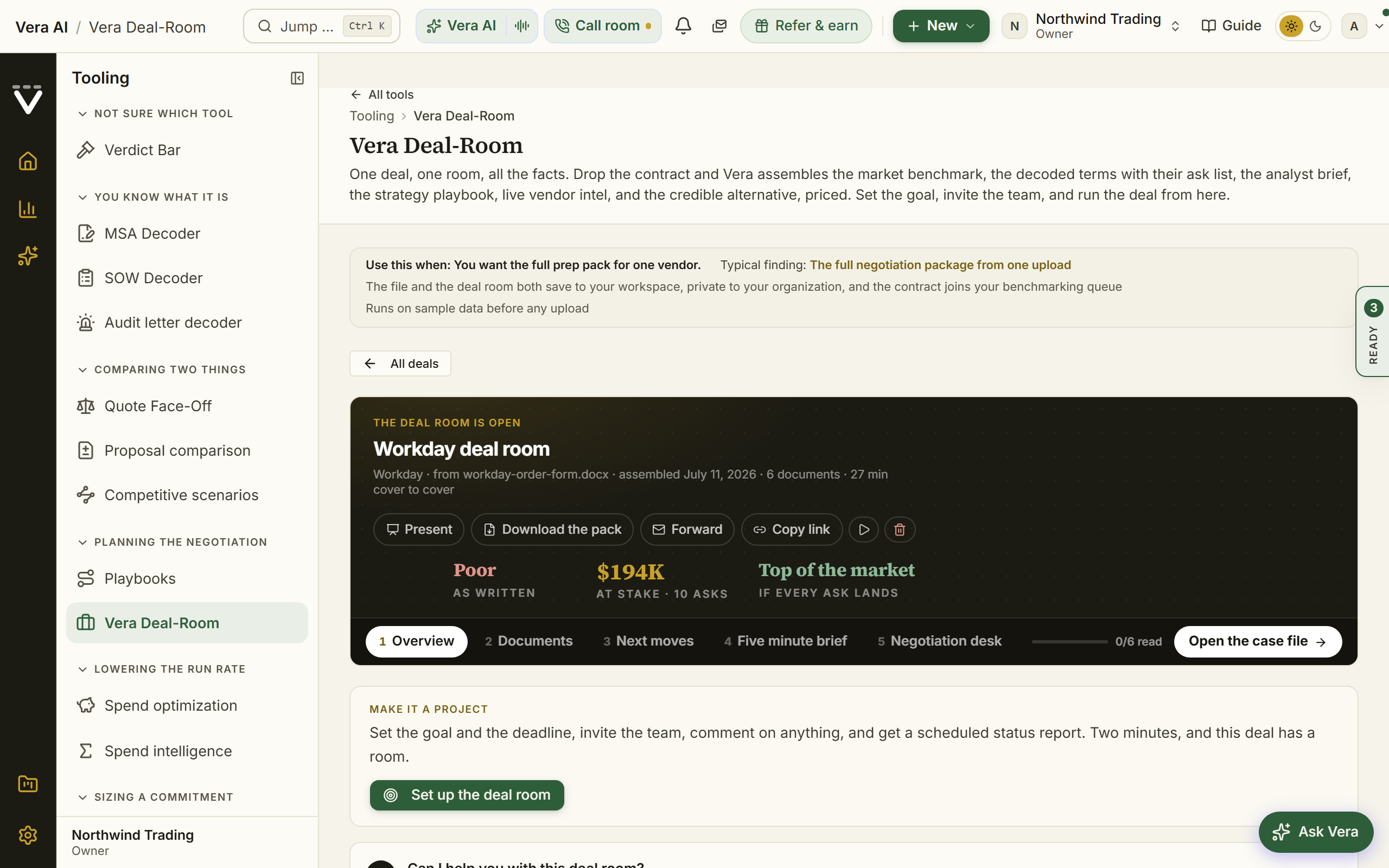
- For a single deal, upload the contract into Vera Deal-Room: one upload assembles the benchmark, the decoded asks, an analyst brief, the strategy playbook, live vendor intel, and the credible alternative priced.
- Time the ask: the Vendor calendar shows the vendor's fiscal quarter end, when discounts run deepest.
- Skim the vendor's last 90 days on Terms watch and the Vendor Radar archive, so nothing they announce in the call is news to you.
Forks
- If the meeting is in an hour — skip the full pack: run a quick instant benchmark for the range and the targets, and open the vendor's page under Vendors for your own position. Ten minutes buys you the two numbers that carry a first call.
Done when: you hold your position, their market moves, and the range, and the meeting's first surprise belongs to the vendor.
See also: Vera Deal-Room
Set up your workspace (owners)
The one-time setup an org owner does so the whole team gets value. These steps need owner access.
For: org owners · Time: about an hour for the core · You need: the teammate list with roles, your logo, and your plan facts
Steps
- Work the owner's handbook top to bottom; it is this recipe at full depth. The condensed pass:
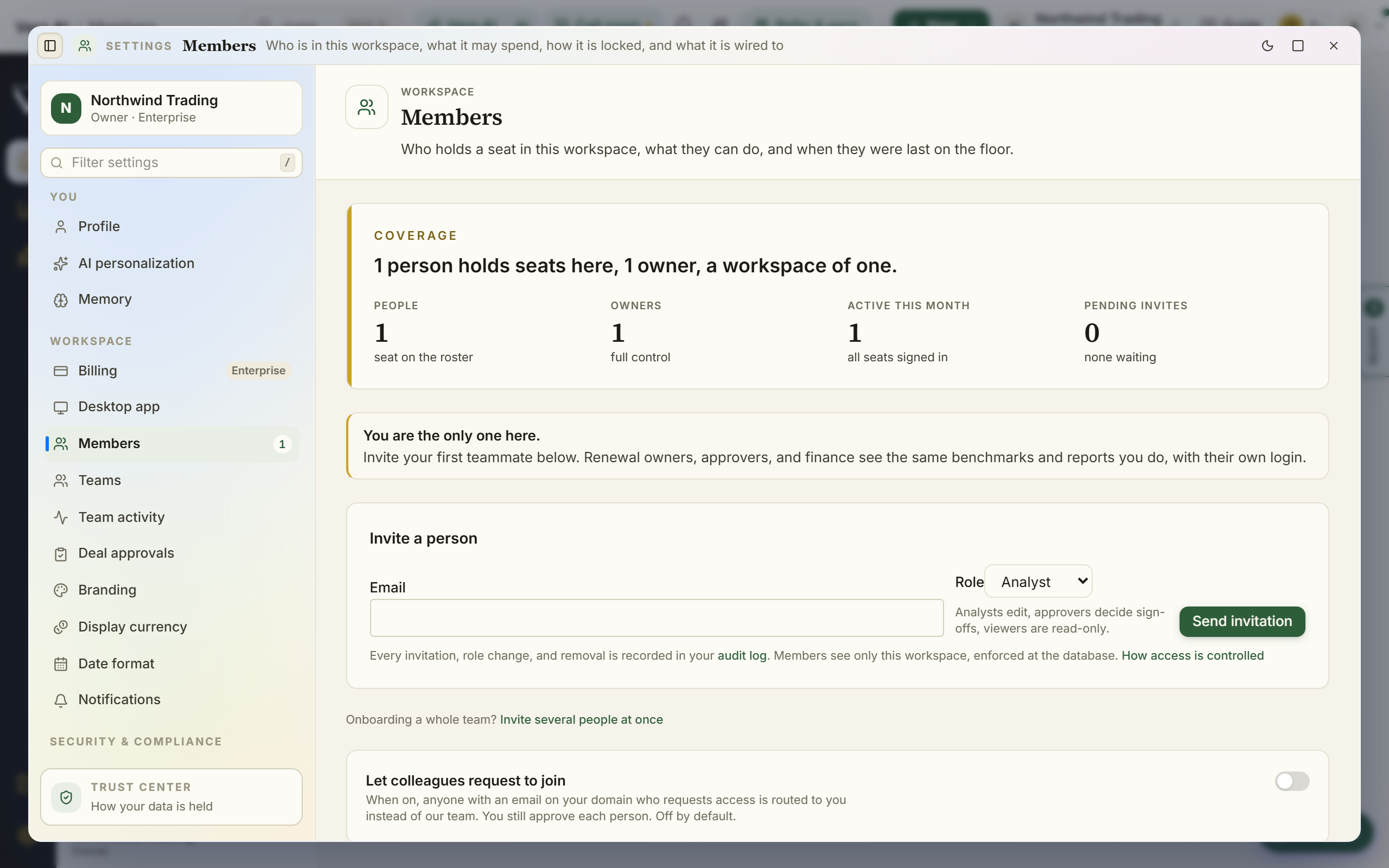
- Invite your team under Members and set each person's role; create Teams for confidential access before the first sensitive document needs one.
- Connect your systems under Integrations: contract intake, SAM and ITAM sources, Slack and Teams.
- Set the security defaults: org-wide two-factor under Sign in policy, retention and consent under Data controls, and the single sign on decision on the same page if you are on Enterprise.
- Set Branding so exported reports carry your identity, pick the Currency and dates, and set your own Notifications; everyone else chooses their own.
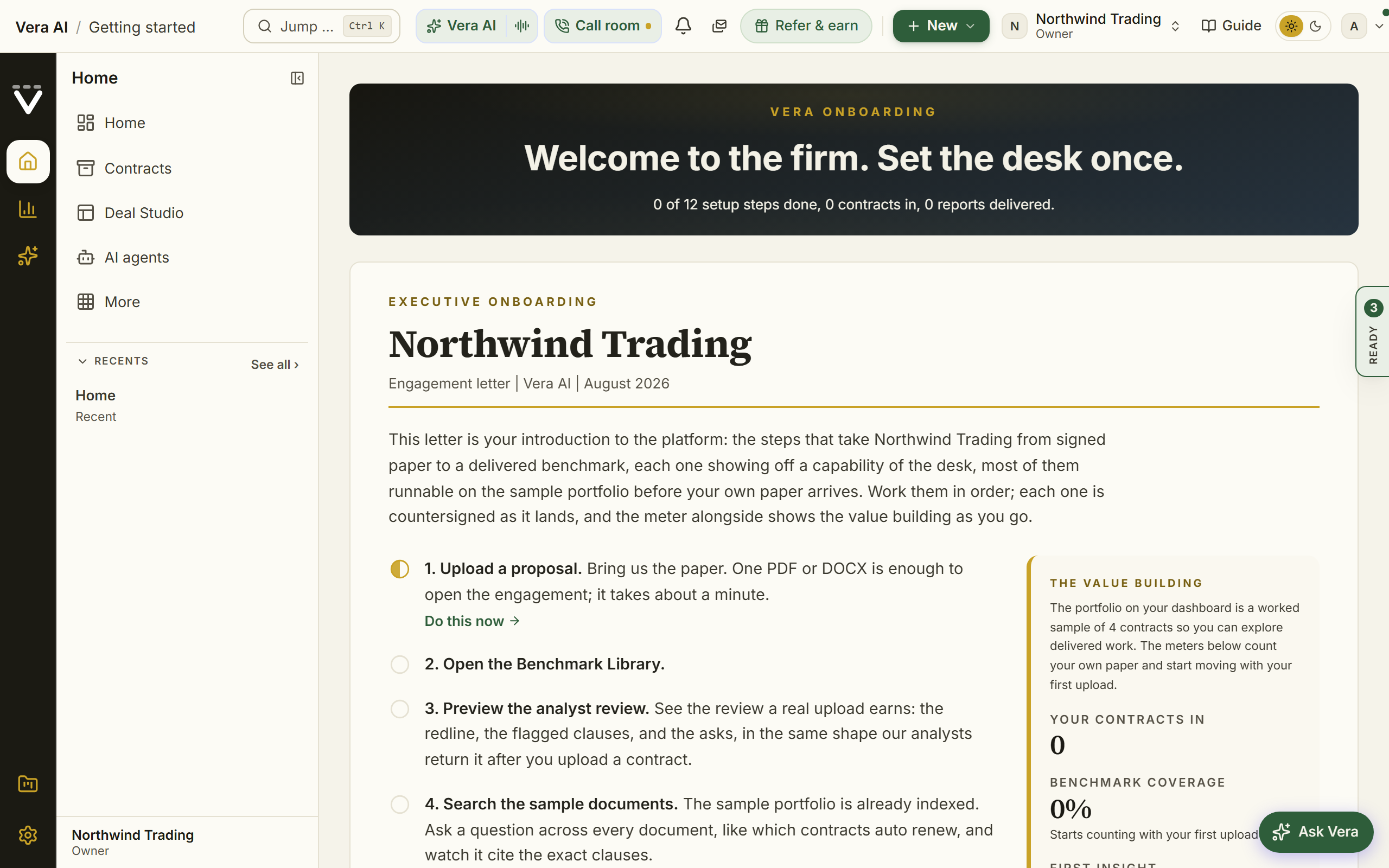
- Load the sample portfolio from the dashboard to explore, then remove it before entering real data.
Forks
- If the team manages access through an identity provider — read the SSO decision before inviting everyone by hand; SCIM may do the inviting for you.
- If you inherited a half-set-up workspace — start from Settings home: the vitals and Worth doing now list exactly what is missing.
Done when: the Settings home vitals read clean: two-factor on, people seated, systems connected, nothing urgent under Worth doing now.
See also: The owner's handbook · Settings & account
Respond to a vendor audit letter
An audit letter rewards a considered first move and punishes a fast one. Slow the clock down and answer from your contracts, not from memory.
For: IT asset management and whoever owns the vendor · Time: an hour on day one; the defense runs as long as the audit · You need: the letter itself, and your entitlement data as connected as it gets
Watch: The audit letter (2:07)
Steps
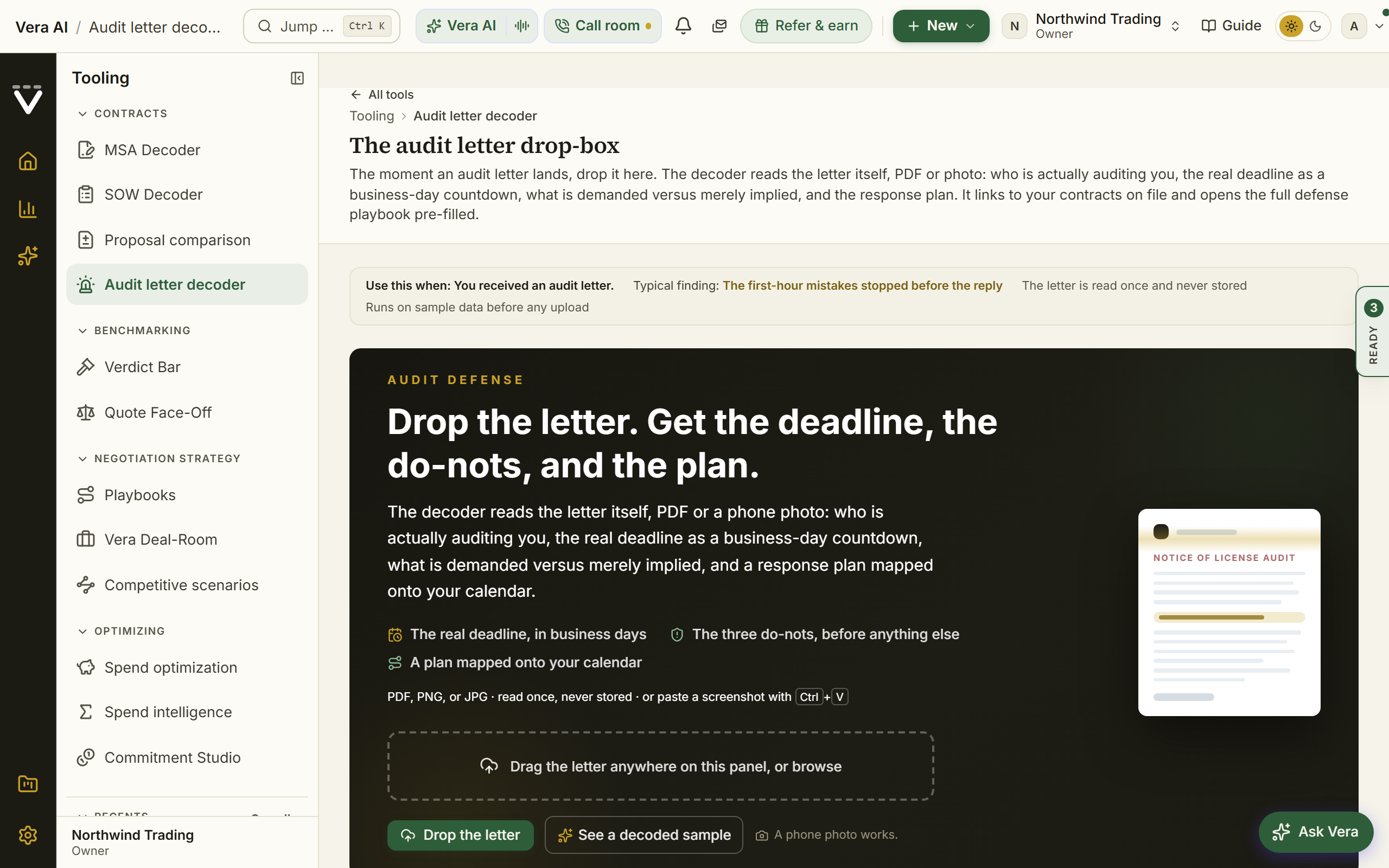
- The day the letter lands, upload it into the Audit letter decoder: who is actually auditing you, the deadline as a business-day countdown, what is demanded versus merely implied, and the three things not to do first.
- Do not reply to the auditor yet, and do not run any vendor-supplied measurement tool until the plan says so.
- Follow the decoder into the pre-filled defense playbook, and open the audit-defense analyses from AI insights on the proposal record if the vendor's document is on file.
- Check your position on Data health: the audit exposure estimate tells you how defensible your entitlement picture is before you engage.
- Answer on your timeline, from your records, with every claim the auditor makes checked against your entitlements rather than accepted.
Forks
- If the exposure is large — book Advisory before the first substantive reply. The letter cost the vendor nothing; your reply can cost you leverage.
- If the audit arrives near a renewal — that is rarely a coincidence. Read the vendor's playbook in Vendor playbooks and treat audit resolution and renewal as one negotiation, not two.
Done when: the reply deadline is on your calendar with margin, the response plan exists in writing, and nobody has run a vendor script on your estate.
See also: Audit letter decoder
Dispute an invoice that does not match your contract
Turn a suspicion of overbilling into a documented, dollars-first dispute.
For: finance and vendor owners · Time: minutes per invoice once forwarding is set up · You need: the invoice, and the contract terms on file to check it against
Watch: The invoice does not match (2:18)
Steps
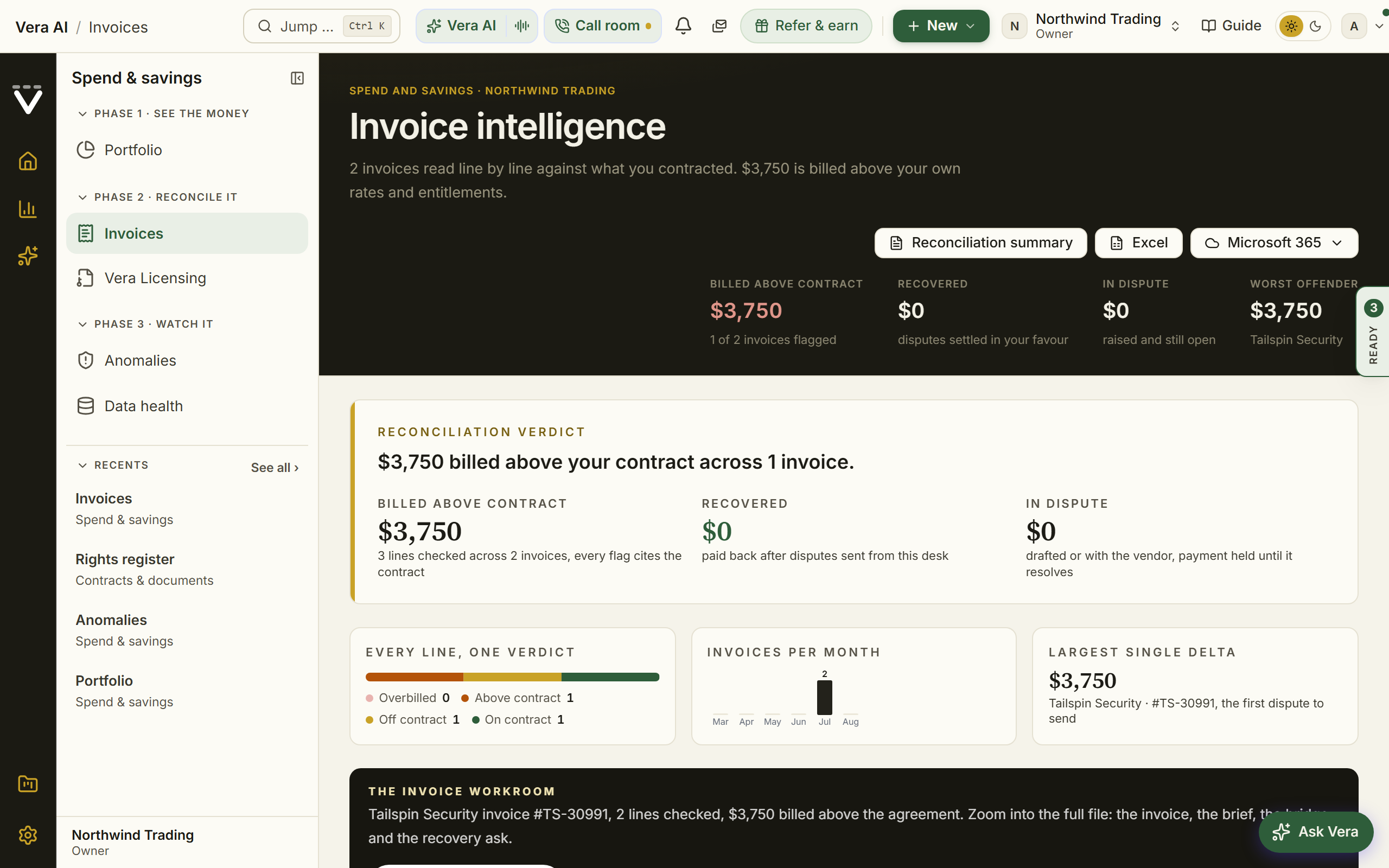
- Get the invoice in: upload it on Invoices, or set up the forward-in address so invoices process automatically from now on.
- Read the line verdicts: price above contract, billed over entitlement, off-contract item, or uplift-cap breach, each with the dollars at stake.
- Cross-check Billing watch: if the vendor moved its price list, the corrective draft is already attached to the finding.
- Send the correction, then watch the following invoices: a correction only counts once later invoices confirm it, and the confirmed saving lands in realized savings on the Savings statement.
Forks
- If the entitlement figures came from a connector — they are held out of alerting until a human confirms the contracted numbers (the rows marked "confirm" on Billing watch). Confirm them once and the daily check has teeth.
- If the vendor disputes your dispute — the case is your contract language. Pull the exact clause with Document Agent and let the document argue.
Done when: the correction is sent, the following invoice confirms it, and the saving reads proven rather than claimed.
See also: Invoices · Billing watch
Hand your renewal calendar to Vera
Send your covered renewals to the Vera AI Team to run under mandates you approve, with the only fee 25% of invoice-verified savings.
For: org owners activate; whoever owns renewals supervises · Time: an hour to activate; minutes a week to supervise · You need: renewals on the calendar with real dates, and an owner willing to sign the fee agreement
Watch: Hand Vera the negotiation (3:31)
Steps
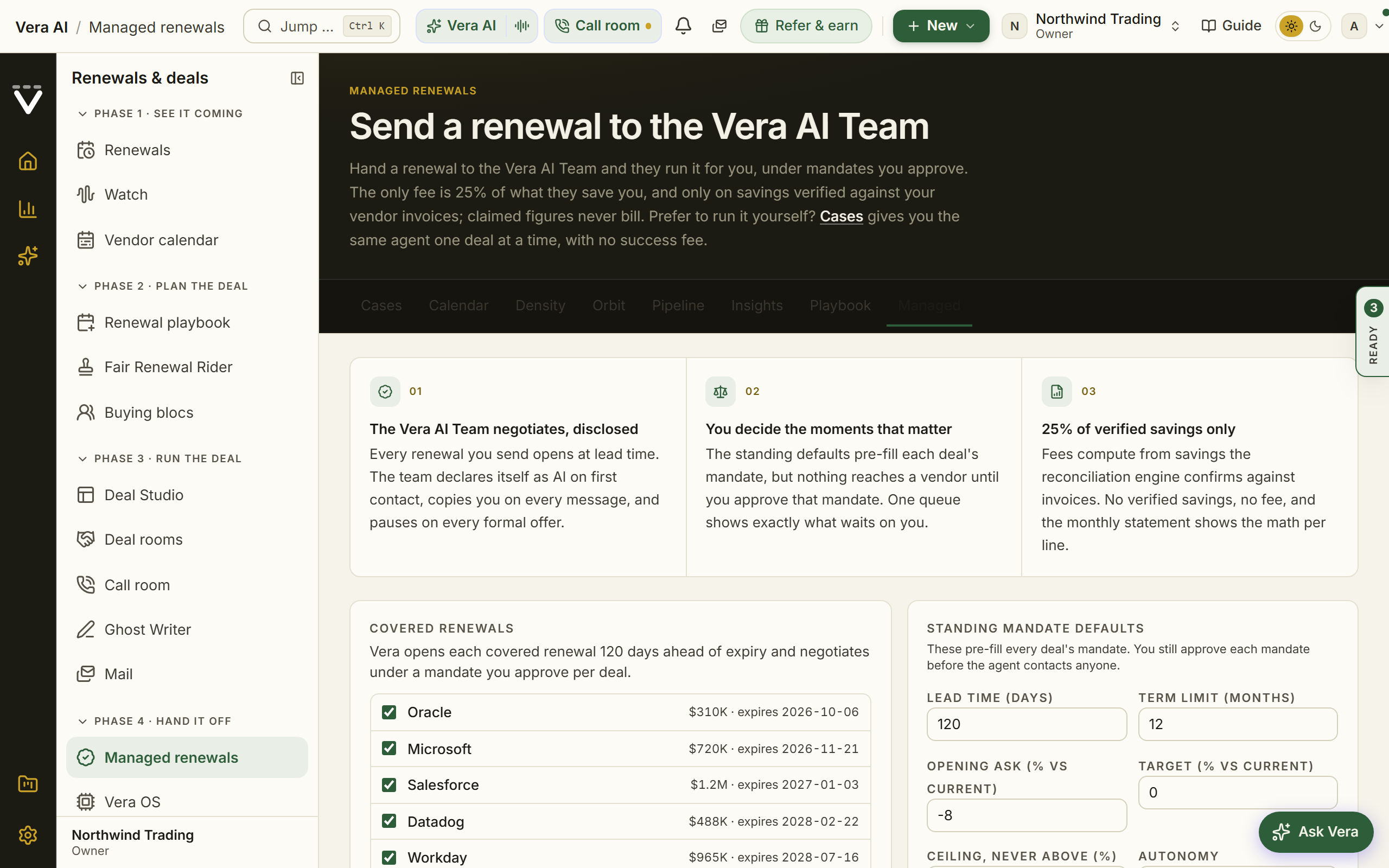
- Read the offer on Managed renewals: Vera discloses itself as an AI, you approve the moments that matter, and claimed figures never bill.
- An org owner activates the program, signs the fee agreement, and sets the standing mandate defaults.
- Approve each deal's mandate before anything reaches a vendor; the standing defaults never skip this step.
- Clear the command queue as Vera works: every interruption is typed (a mandate, a formal offer, a parked decision) and opens the deal it waits on.
- Track the net position on the pairing meter, savings banked against fees paid, with every figure traced to a vendor invoice.
Forks
- If a run pauses and will not continue — that is the guardian doing its job: something in the mandate says a person decides here. The Control screen shows exactly what is waiting on you and why.
- If you want automation without delegation — stop short of managed renewals: the renewal playbook's agent preps and reminds without ever contacting a vendor.
Done when: mandates are approved, the Waiting on you queue is routinely empty, and the net position line is one you would show finance.
See also: Managed renewals · Spend Agent
Run diligence for an acquisition
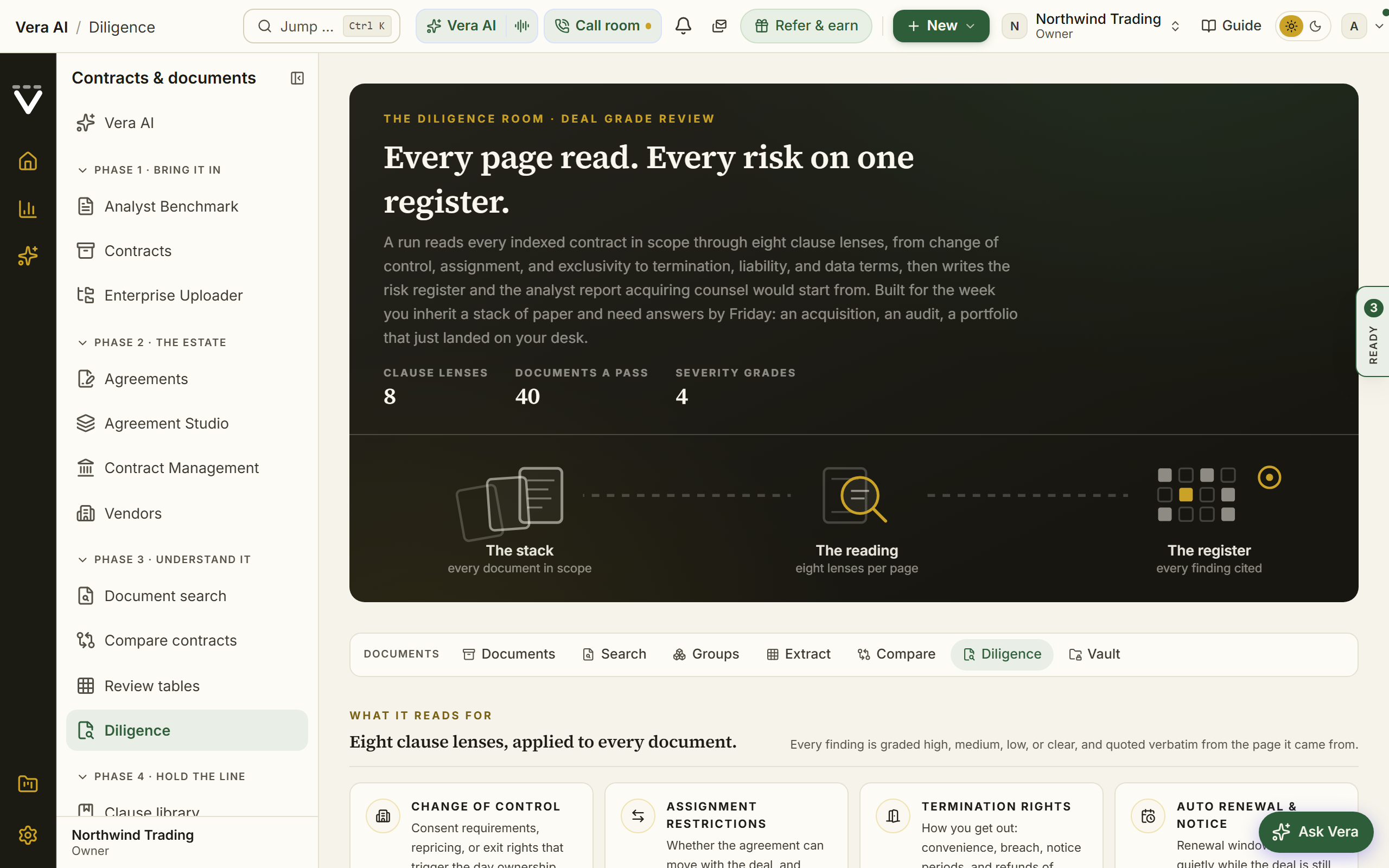
Deal-grade contract review with the sensitive documents locked down.
For: legal and the deal team · Time: an hour to set up; the register works through in days, mostly the platform's · You need: the target's contracts, and the short list of people allowed to see them
Steps
- Create a restricted Vault project and grant only the deal team access; documents in a restricted project stay hidden from everyone else.
- Add the target's contracts to the project, in bulk if needed.
- Run Diligence scoped to that project: every contract is read for change of control, assignment, exclusivity, termination, liability, and data terms.
- Work the risk register from the highest severity down; each finding cites the clause it rests on.
- Read the analyst report for what needs consent or renegotiation before the deal, and what is clean.
Forks
- If the deal team changes mid-process — grant and revoke through a team rather than person by person: membership is the access, and offboarding is one removal.
- If a finding is deal-critical — do not settle it on a summary. Open the cited clause in the document itself, and put the specific question to the whole estate with Review tables if you need it answered across every contract.
Done when: the register is worked to the bottom, every consent-required contract has an owner and a plan, and the report is in the restricted Vault project.
Team up with other buyers on a renewal
When several buyers renew the same vendor in the same window, one term sheet beats four separate negotiations.
For: whoever owns the vendor · Time: 30 minutes to evaluate and join; the bloc runs on the window's clock · You need: the renewal on your calendar, so the matchmaking has a date to line up
Steps
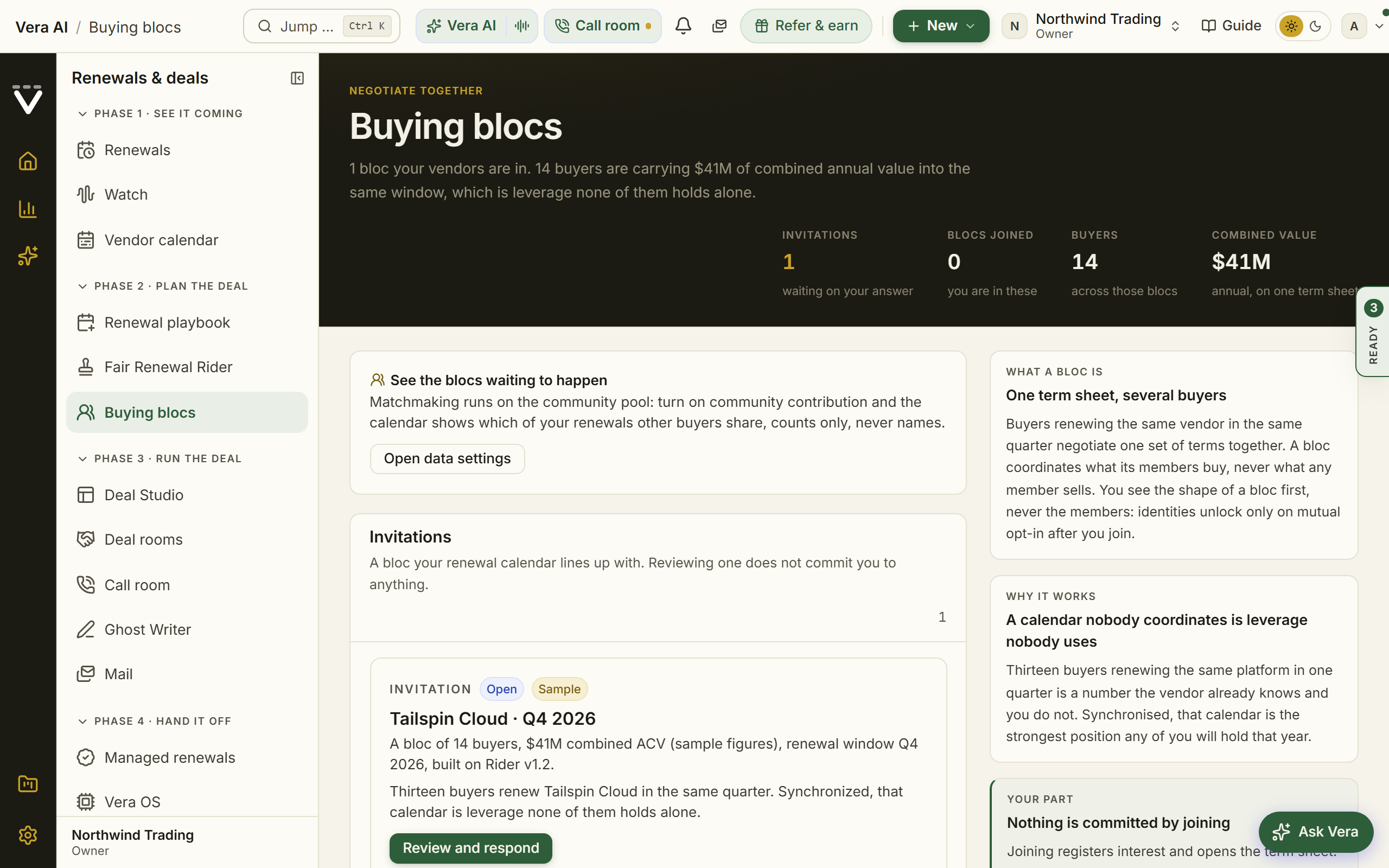
- Check Blocs waiting to happen on Buying blocs: it shows where your renewal calendar lines up with other buyers of the same vendor.
- Open an invitation to read the bloc's shape: buyers, combined ACV, window, and term sheet version. You stay anonymous until mutual opt-in.
- Join the bloc to enter its screen, and negotiate on the shared Fair Renewal Rider term sheet.
Forks
- If no bloc matches your window — do not force one. Run the renewal solo on the standard play (Prepare a renewal 90 days out) and let the matchmaking keep watching; windows align more often than calendars suggest.
- If your terms diverge from the bloc's sheet — the shared sheet is the point; a bloc where everyone rides their own document is four negotiations wearing one name. Run those terms in your own negotiation instead.
Done when: you are inside a bloc negotiating one sheet, or you have deliberately chosen the solo play with the market read in hand.
See also: Buying blocs · Fair Renewal Rider
Choose between competing quotes
Two or three quotes for the same need, one defensible decision.
For: whoever recommends the award · Time: about 30 minutes · You need: the quotes as PDF or DOCX, ideally covering the same scope
Watch: Two vendors, one budget (2:21)
Steps
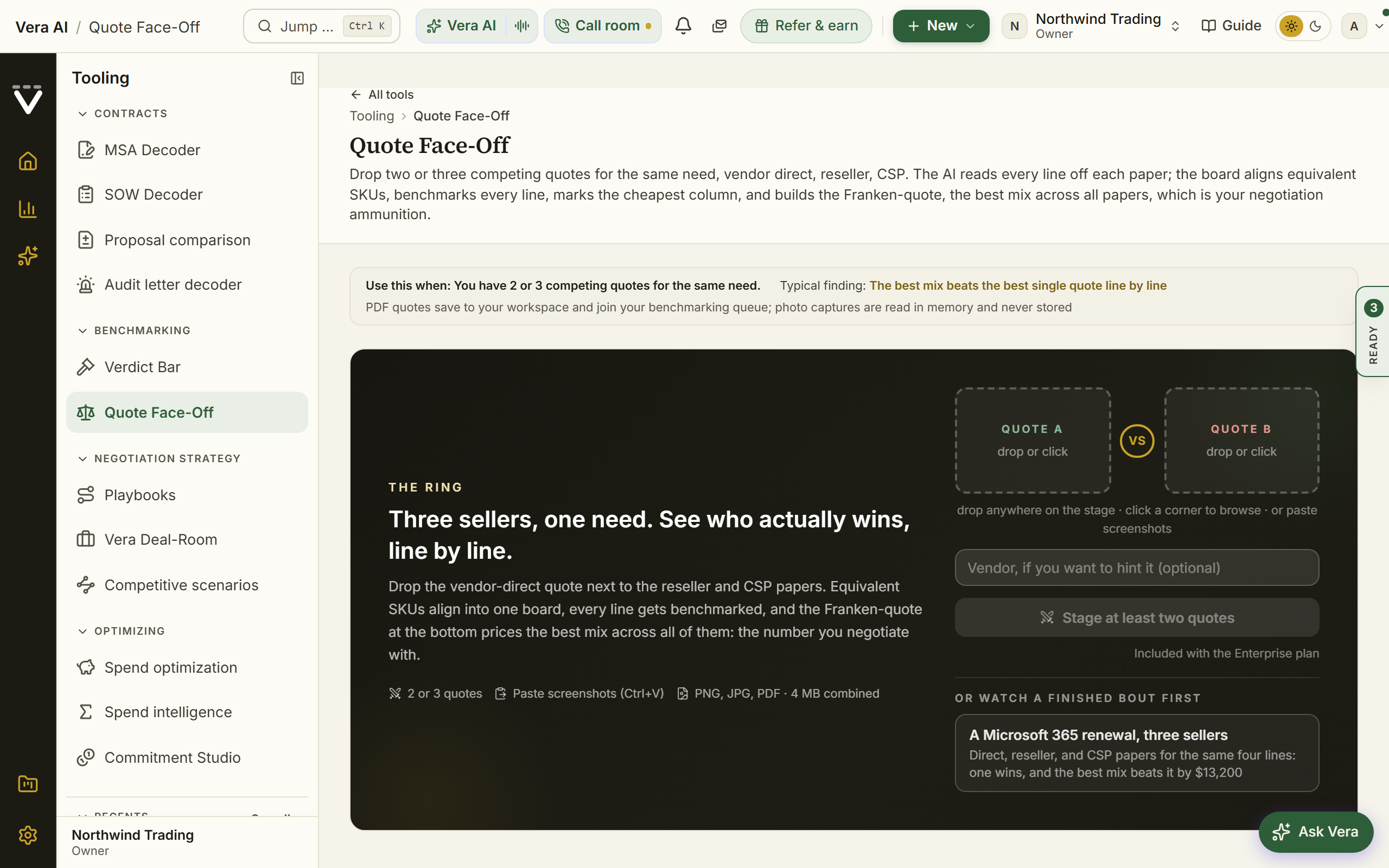
- Upload the quotes into Quote Face-Off: equivalent SKUs are aligned line by line, every line is benchmarked, and the best mix across all documents is priced as the Franken-quote.
- Read the analyst memo: which quote to take, which terms to pull from the losers, and the counter to send.
- For one quick quote on its own, Second opinion gives the market read and the counter in about a minute.
- Running a formal process? Work it as a Sourcing project through to the award decision.
Forks
- If the quotes cover different scopes — align the scope before trusting the comparison: the Proposal comparison read calls out what each document includes that the others do not, which is often the real decision.
- If the winning quote still benchmarks poorly — winning the face-off is not the same as being fairly priced. Take the winner into Get an instant price read and counter before you award.
Done when: the award has a written why, the losing quotes' best terms are in your counter, and the winner has been benchmarked, not just compared.
See also: Quote Face-Off · Sourcing
Set your clause standard and sweep the estate
Decide once what your organization signs, then measure every contract against it.
For: legal, with owner support for the settings side · Time: two hours to set the standard; the sweep is the platform's work · You need: agreement on your non-negotiables, even a first draft of it
Steps
- Build your positions in the Contract policy: the preferred language, the fallback, and the walk-away for each clause that matters, and mark the non-negotiables as must-have.
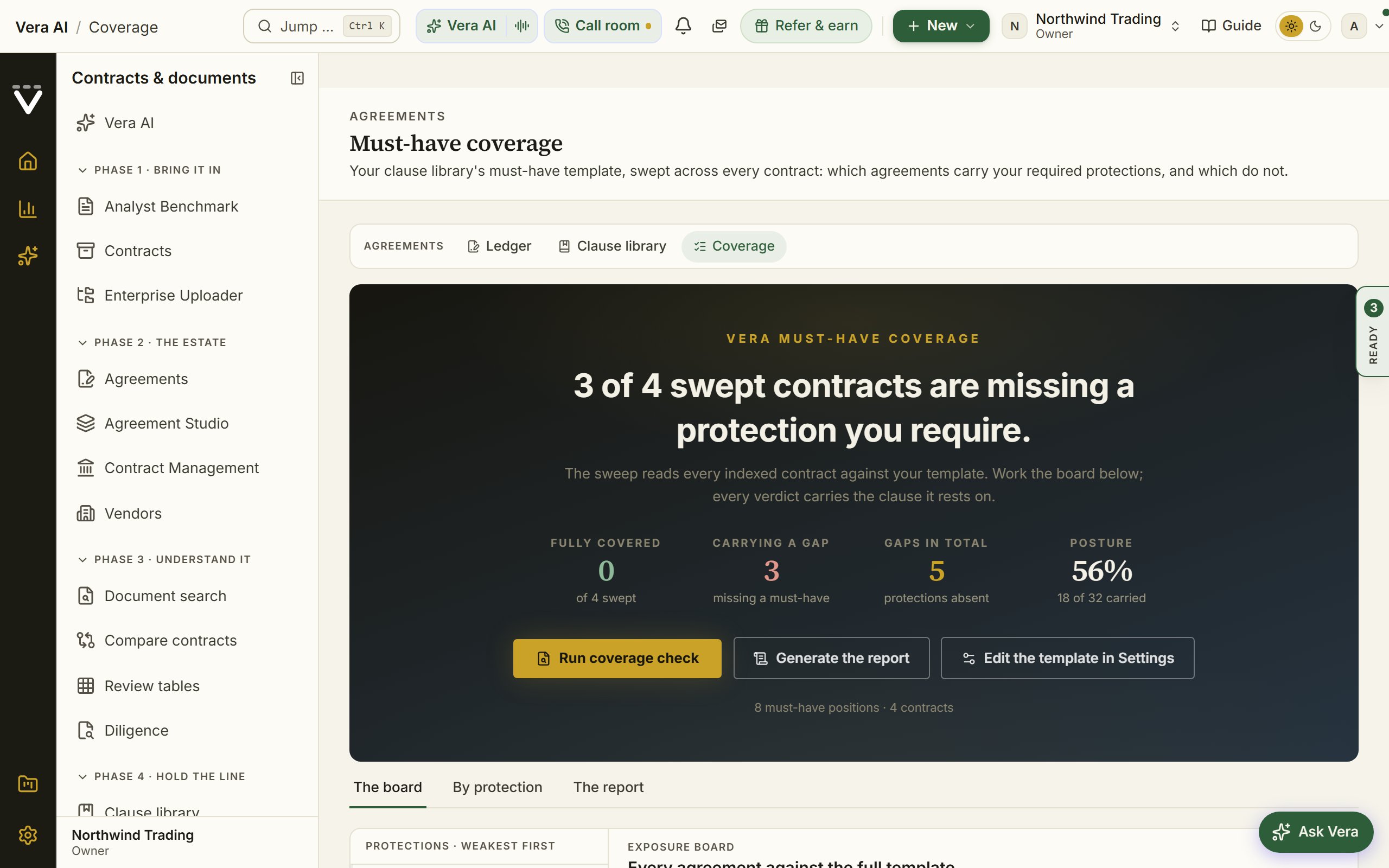
- Run Coverage to sweep the must-have template across every contract: Present, Deviates, Missing, or Unclear per cell.
- Chase the red Missing cells first: agreements without a protection you require.
- Ask bespoke questions across the estate with Review tables: one question per column, a quote-backed answer per document.
- From now on, every AI review argues for your standard instead of a generic one, inserting your pre-approved language wherever a contract deviates.
Forks
- If legal cannot yet agree the standard — start with the security side: Vendor security requirements ships a default and rule packs you can adopt today, and the clause standard can follow it.
- If a Missing cell belongs to a renewal inside 90 days — that is not a sweep finding, it is a negotiation item: move it onto the deal's ask list now, while you still have the leverage of an open renewal.
Done when: the must-haves are marked, the sweep has run, and every red cell has either a fix in flight or a written acceptance.
See also: Contract policy · Coverage
Connect your data and close the gaps
The platform gets sharper with every source you connect. This is the highest-leverage hour an owner spends.
For: org owners · Time: an hour for the first pass; each later gap is minutes · You need: credentials or admin access for the systems you are connecting
Watch: What do we even own? (3:44)
Steps
- Open Data health: the completeness score, and every gap ranked by the feature filling it enables.
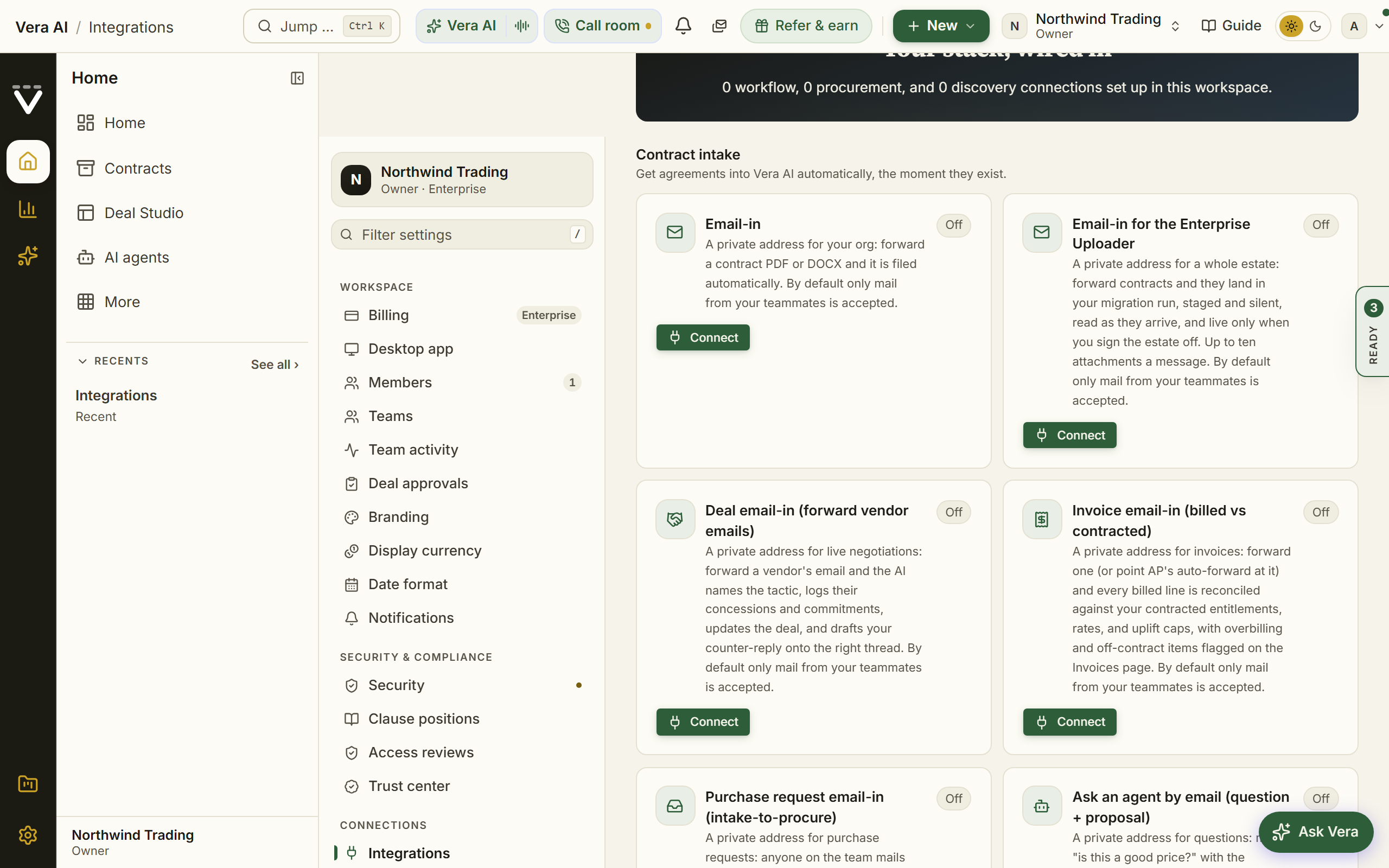
- Connect the systems that know what you own under Integrations: SAM and ITAM sources, procurement, contract intake, and the invoice forward-in address.
- Add annual values to your Agreements so the Spend Agent's Spend and Portfolio steps fill in.
- Let Document Agent read your documents (it reads on its own; Read them now starts any still waiting), then harvest your paid-for rights into the Rights register.
- Come back to Data health and work the next gap; the plan reranks as you close them.
Forks
- If a connector's first sync looks thin — check Recent activity on the Integrations page before debugging the source; the last sync result per connection is stated there.
- If you cannot get credentials for a source — the CSV importers cover most of the same ground manually; a monthly export beats an empty picture while access is negotiated.
Done when: the completeness score has moved, the top-ranked gap has an owner, and license data is flowing rather than uploaded once.
See also: Data health · Integrations
Take a purchase request from intake to award
One place where new spend requests come in, so nothing is bought twice.
For: procurement; requesters just email or file a form · Time: minutes per request to triage; the sourcing project runs on its own clock · You need: the intake address set up by an owner, and the request itself
Watch: Sourcing (1:52)
Steps
- Raise the request on Requests, or let teammates email requests straight in through the intake address an owner set up.
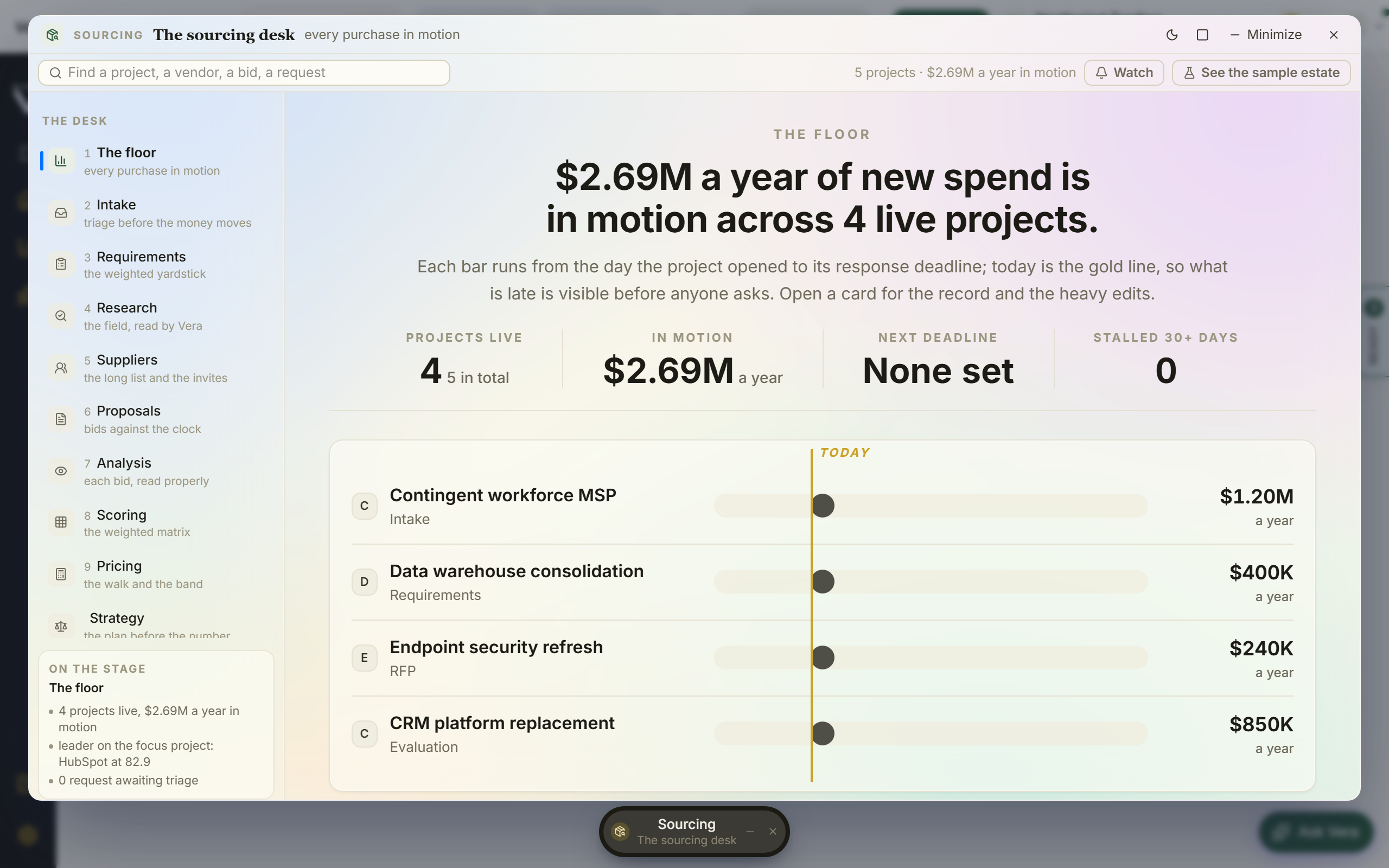
- Read the AI triage verdict: net-new, a renewal of something you own, a duplicate of existing capability, or over the approval threshold.
- Route it onward: a Sourcing project for net-new spend, a renewal for something you own, or an approval.
- In sourcing, run requirements, suppliers, and bids side by side through to the award decision.
Forks
- If triage says duplicate — that is the recipe paying for itself: point the requester at the existing capability, and if they insist the existing tool falls short, that is a consolidation conversation, not a purchase.
- If the request is really a renewal — do not source it; work it as a renewal with the leverage that brings (Prepare a renewal 90 days out).
Done when: the request is routed, the decision has a written trail, and nothing was bought that the estate already owned.
Build the board pack
The quarterly leadership story, told from your live data instead of a hand-built deck.
For: whoever presents to leadership · Time: about an hour, mostly reading · You need: annual values on your agreements, and savings recorded as they closed
Watch: The report that took weeks (2:21)
Steps
- Start from the Spend Agent: its Spend step carries the spend and concentration picture.
- Open its Portfolio step for the estate against the market: every vendor sized by spend and colored by how its contracts compare.
- On its Report step press PowerPoint: the boardroom deck carries the answer, where the money goes, the decisions for the board and the first 90 days.
- Add the proof: the Savings statement carries realized savings verified against invoices, and the Report step exports the figures to Excel for finance.
Forks
- If the map looks empty — the pack is only as good as the values on the agreements; spend an hour on Connect your data and close the gaps before presenting thin charts as the estate.
- If leadership wants one page, not a pack — build the CFO one-pager instead and keep this recipe for the quarterly.
Done when: the pack tells one story from live data, every number in it traces to a record, and next quarter's version is a refresh, not a rebuild.
See also: Spend Agent · Report Studio
Watch a vendor's market moves
Know what a vendor did to its pricing before they tell you at renewal.
For: whoever owns the vendor · Time: 10 minutes to set up; the watching is the platform's job · You need: the vendor's name; holding a contract with them makes the alerts sharper
Watch: Your vendor just got acquired (2:10)
Steps
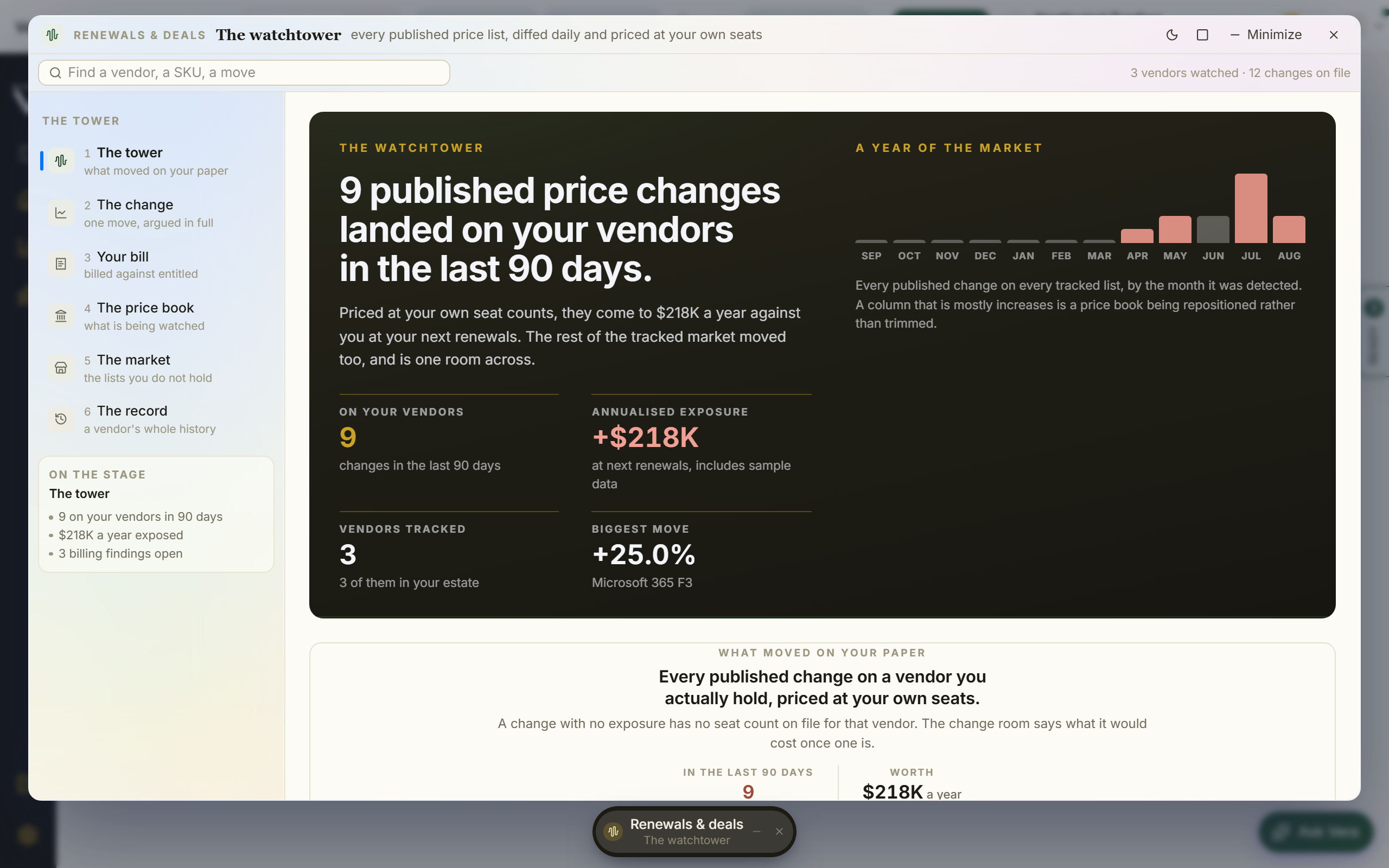
- Follow the vendor on Terms watch and turn on the price-change digest; every published price-list change arrives diffed and priced at your seat counts.
- Subscribe to the Monday Vendor Radar so licensing, audit, and M&A news on your vendors leads your copy.
- Before a renewal, read the vendor's full history in the archives, its grade on Vendor scorecards, and the latest Research on it.
- Check Billing watch to see whether your invoices already reflect a move.
Forks
- If the vendor is not on the tracked roster — request it with Request a vendor on the Price list check tab; the list joins the roster with its own weekly verification sweep.
- If a price rise lands mid-term — that is its own recipe: Respond to a mid-term price increase, starting from the case file the change itself opens.
Done when: the digest is on, the vendor's seismograph is quiet or understood, and no vendor announcement at renewal is news to you.
See also: Terms watch · Vendor Radar
Right-size licenses before a renewal or true-up
Walk into the true-up with the surplus already found, instead of paying for shelfware another year.
For: IT asset management · Time: 30 minutes per estate once the data source is connected · You need: usage or deployment data, connected or exported
Watch: Seats nobody uses (2:31)
Steps
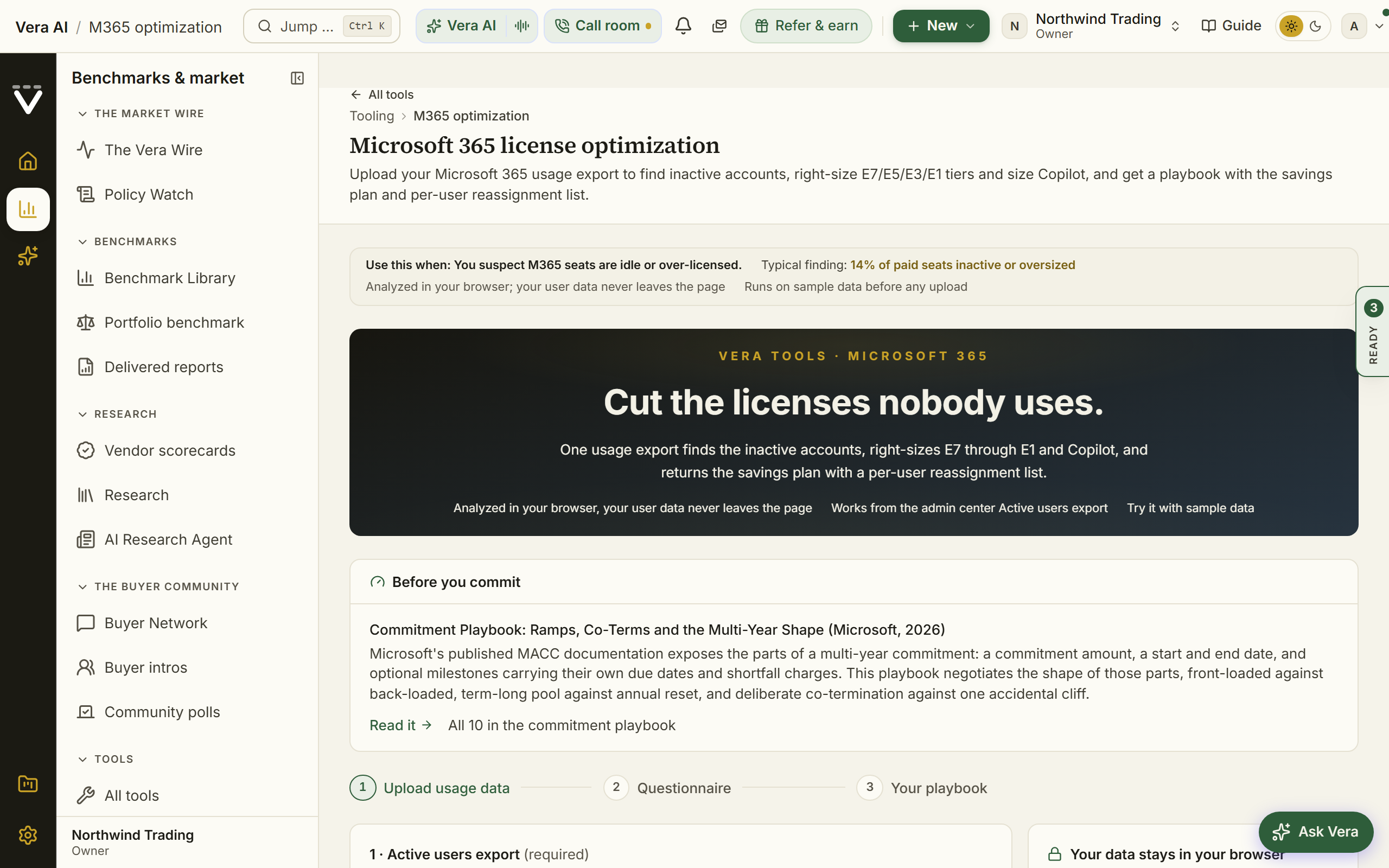
- Run the optimizer that matches the estate: M365 optimization for Microsoft seats, Cloud cost optimizer for hyperscaler spend, VCF licensing for VMware cores, or the Claude and OpenAI optimizers for AI commitments.
- Review the inactive and oversized assignments the tool surfaces, and the per-user reassignment plan where the tool builds one.
- Fold the findings into the renewal: the matching vendor playbook turns them into the negotiation case.
- For the budget-wide view across every vendor, open the Spend Agent.
Forks
- If you have no usage data yet — the tools are free to explore with sample data on any plan; running them on your own exports is what needs a Professional or Enterprise plan (see Chapter 10). Connect a SAM source and the picture stays current instead of exported.
- If the surplus is real but the renewal is far away — bank the finding: the reassignment plan saves money now, and the negotiation case waits for the window. Prepare a renewal 12 months out is the long game.
Done when: the surplus is quantified, the reassignment plan is running, and the renewal case opens with the shelfware already counted.
See also: Spend Agent · Vendor playbooks
Onboard a new team member
From invite to their first useful result in one day, without you standing over their shoulder.
For: org owners send the invite; anyone can be the buddy · Time: 5 minutes of yours; their ramp is theirs · You need: their email and their role
Steps
- Invite them under Members with the right role; the invitation expires after 7 days, so send it when they can act on it.
- Add them to the Teams their access requires; team membership is the access itself, so this one step covers every confidential grant the team holds.
- Point them at two links and nothing else: their first 30 days for the ramp, and the manual by role for the five screens that matter to their seat.
- Let the platform do the rest: the getting started course matches a track to their goal, and the setup survey arranges the menu around their answers.
- A week later, glance at Team activity: if they have not started, the numbers say so before the habit hardens.
Forks
- If the invite never arrived — check the pending invitations list for a bounce and resend; Troubleshooting covers the delivery cases.
- If they are drowning in alerts — they are not: everything renewal-shaped starts silent. If anything, the common miss is the opposite; remind them alerts are opt-in under Notifications.
Done when: they have uploaded real document on the Home ask bar and had a question answered from it, and can name the three keys (Ctrl/⌘ K, Ctrl/⌘ J, the Guide button) without looking.
See also: Members · Your first 30 days
Report savings at quarter end
The recurring finance ritual: the quarter's savings, invoice-verified, in the format finance actually wants.
For: whoever answers to finance · Time: 30 minutes, four times a year · You need: outcomes recorded as deals closed (the quarter-end pain is proportional to what was skipped in-quarter)
Watch: Prove what sourcing saved (2:10)
Steps
- Open the Savings statement and read realized savings: what a later invoice confirms, what waits for one, and what is leaking. The confirmed set is your number.
- Chase the pending rows before you report: a correction or reduction still waiting on its confirming invoice is real money in limbo, not a smaller number.
- Export the figures for finance from the Report step of the Spend Agent (Excel); its Spend step carries the spend that puts the number in context.
- Book the next quarter's version now: 30 minutes on the calendar, because this recipe is only painless when outcomes were recorded as they happened.
Forks
- If finance disputes a figure — do not argue from memory: the Where figures come from page traces every cited number to its source fact and date, and the saving's own row names the invoices that confirmed it.
- If the quarter looks empty but the work happened — outcomes were not recorded. Sweep the quarter's closed negotiations and delivered reports for unanswered What happened? questions before declaring a zero.
Done when: the CSV is with finance, every number in it reads proven, and nothing pending is silently missing from the story.
See also: Spend Agent · Where figures come from
Prepare a renewal 12 months out
The long game: at a year out, you have every lever, and the work is cheap.
For: whoever owns the vendor · Time: two hours now; it repays itself at the table · You need: the renewal date on the calendar, a year away
Steps
- Benchmark now, not at renewal: an instant benchmark or an analyst report a year out tells you whether this is a repair job or a defense job, while there is still time for either.
- Put the vendor on watch: Terms watch and the Vendor Radar. A year of diffs and news is a negotiation file that writes itself.
- Start the usage clock: run the matching optimizer now and again at 6 months, so the true usage trend, not a snapshot, walks into the room with you.
- Check the document early: what does the contract say about uplift caps, notice, and renewal mechanics? Fix gaps at the midpoint amendment if one arises, and log your positions in the Contract policy.
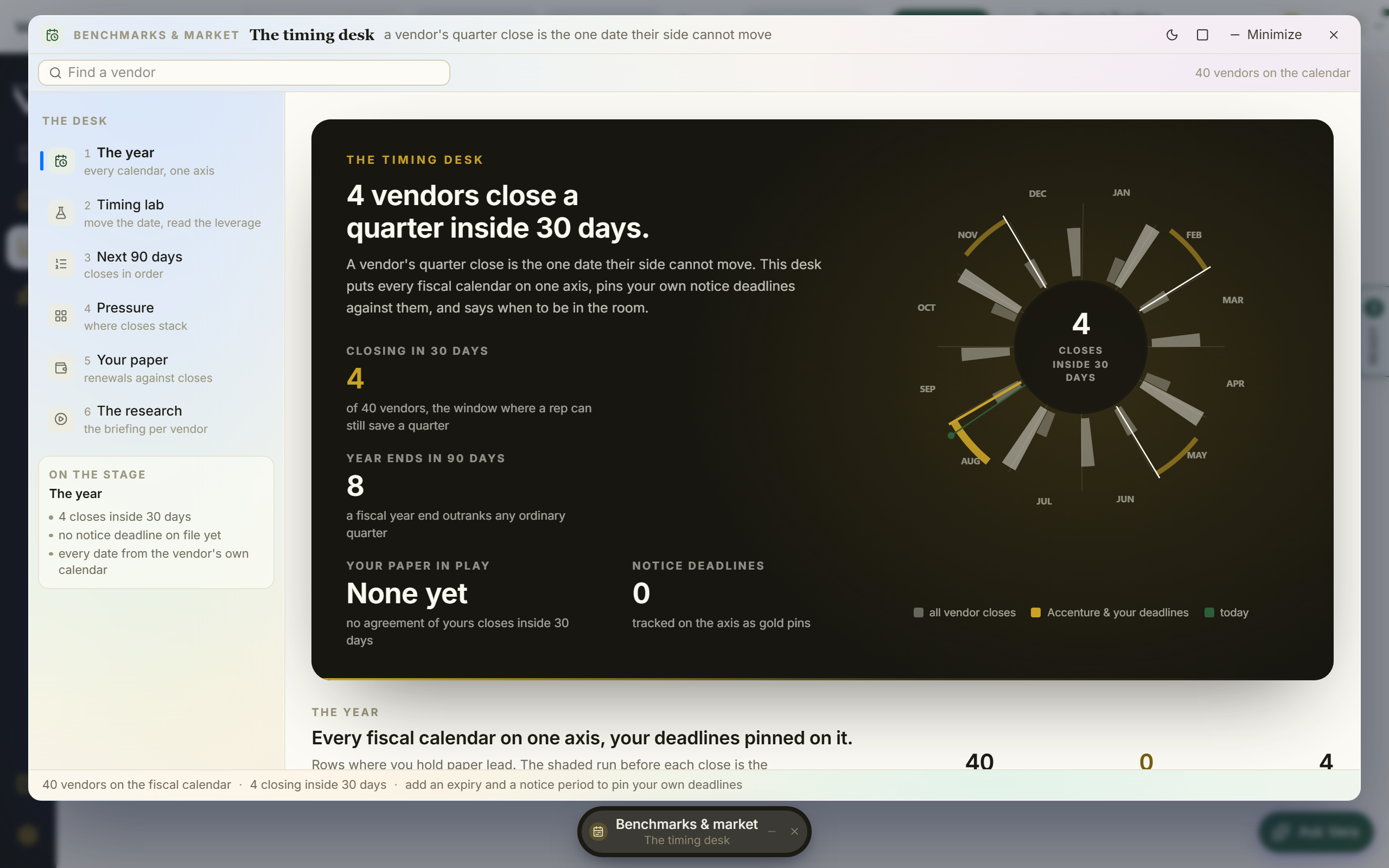
- Mark the geometry on the Vendor calendar: their fiscal quarter ends, your notice deadline, and the date you want the first conversation, which is earlier than instinct says.
- Budget honestly: the uplift the vendor will ask for is visible in their published moves; give finance the range now instead of a surprise later.
Forks
- If the benchmark says you are at or above market — the year is for defense: lock the rate, cap the uplift, and spend your effort on terms rather than price. A fine deal defended is a win.
- If the vendor is consolidating or was acquired — the calculus changes; read the Research on them and consider whether the credible alternative needs a real proof of concept (Run a proof of concept bake-off) this year.
Done when: the watch is on, the baseline benchmark exists, the calendar geometry is marked, and finance holds your range, not the vendor's.
See also: Prepare a renewal 90 days out · Vendor calendar
Prepare a renewal 90 days out
The standard play: enough time for every move, none to waste.
For: whoever owns the deal · Time: the stand-up is an hour; then it is a running deal · You need: the renewal 90 days out with its notice period known
Watch: The renewal is 90 days out (2:57)
Steps
- Confirm the geometry first: the expiry, the notice deadline, and the days between today and each, on Renewals. The notice deadline, not the expiry, is your real clock.
- Get the market read this week: instant benchmark at minimum, the deal pricing brief from the vendor's own renewal document if you have it.
- Stand the deal up per Plan and run a renewal negotiation: playbook, clause positions, rider, mandate.
- Book the vendor conversation against their calendar, not yours: the Vendor calendar shows where their quarter pressure sits inside your window.
- Open with your ask, grounded in the range, before they open with theirs.
Forks
- If the vendor already sent the renewal quote — even better: upload their document into Upload a quote and negotiate from the six page brief it returns rather than from their framing.
- If 90 days shrinks under you — deadlines slip into the two-week regime faster than teams expect; the moment the notice deadline is inside a fortnight, switch to Rescue a renewal 2 weeks out.
Done when: the mandate is set, the first conversation is booked on favorable geometry, and the notice deadline has margin around it.
See also: Plan and run a renewal negotiation · Renewal playbook
Rescue a renewal 2 weeks out
Triage: with a fortnight left, sequence beats thoroughness.
For: whoever just found the deadline · Time: today, one focused hour; then daily attention · You need: the contract, and honesty about which deadline you are actually against
Steps
- Establish the real clock in the first ten minutes: is the notice deadline still ahead of you, or already behind you? Check the agreement on Renewals. Everything else depends on this answer.
- If notice is still open and you might want out or leverage: file the protective notice conversation now, before any price talk. An open exit is your only real lever at this range.
- Get the number today, not this week: an instant benchmark gives you the range in minutes; run Contract Agent on the vendor's renewal document for the red flags.
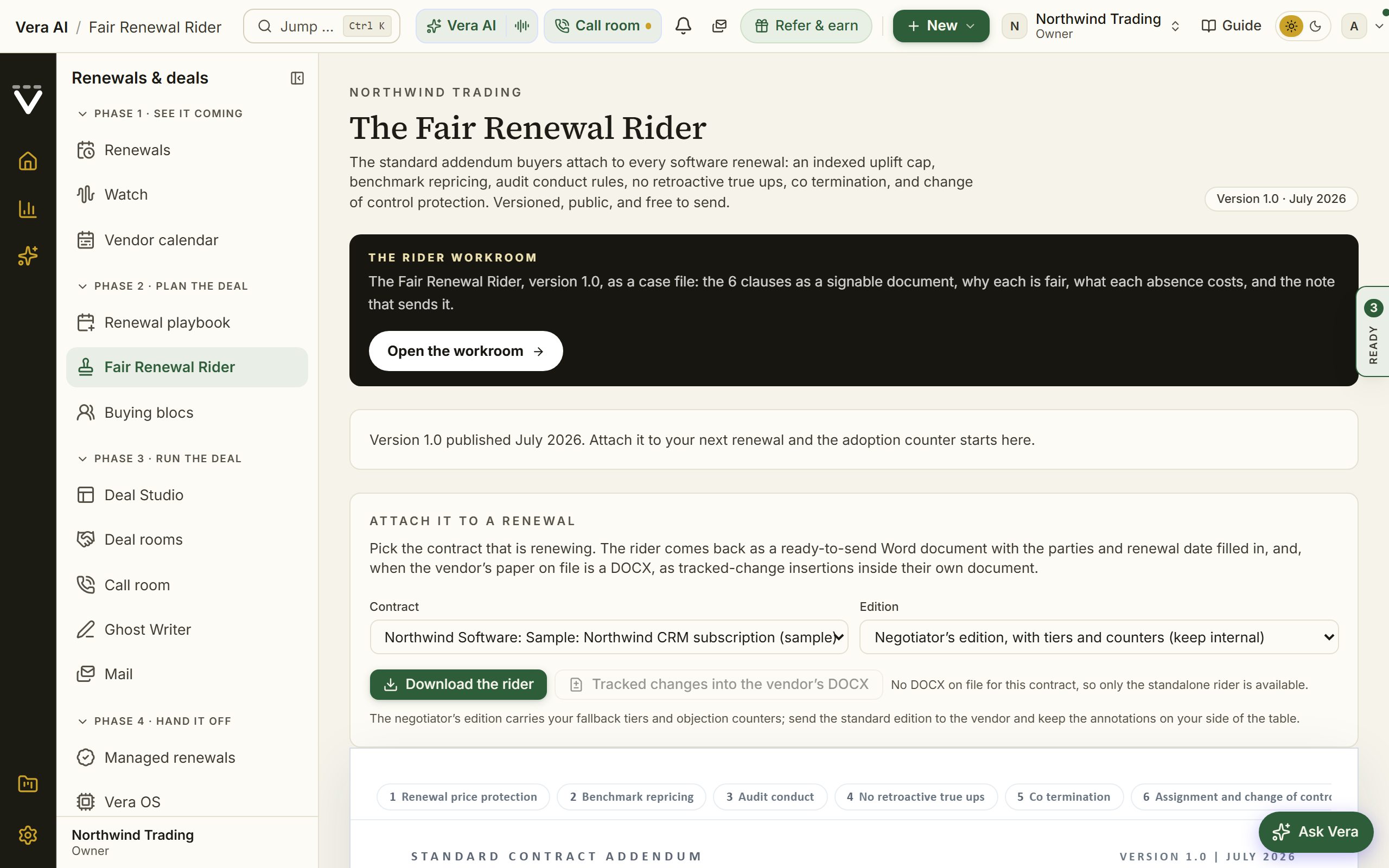
- Make one ask, not five: the range's strong ask on price, plus the Fair Renewal Rider attached so the structural protections ride along without separate negotiation.
- If the timeline is genuinely impossible, negotiate time itself: a short extension at current terms is a legitimate ask, and better than signing a bad year under the gun.
Forks
- If the notice deadline has already passed — stop mourning the exit; it is gone. Your play is price and terms inside the renewal: the uplift cap if the contract carries one, the market range, and next year's geometry fixed so this never repeats.
- If the document auto-renews — confirm what it auto-renews INTO (term and price) before deciding whether the rescue is even needed; sometimes the status quo year is the best available outcome, bought with zero leverage spent.
Done when: the deal is signed or extended on terms you chose knowingly, and next year's renewal is on the calendar with its notice period, 90 days of runway, and an owner.
See also: Track agreements and never miss a notice window · Benchmark Library
Consolidate duplicate tools
Two tools doing one job is a negotiation you have not run yet.
For: procurement and IT asset management together · Time: a half day of analysis; the consolidation runs a quarter · You need: the estate on file, values on agreements
Steps
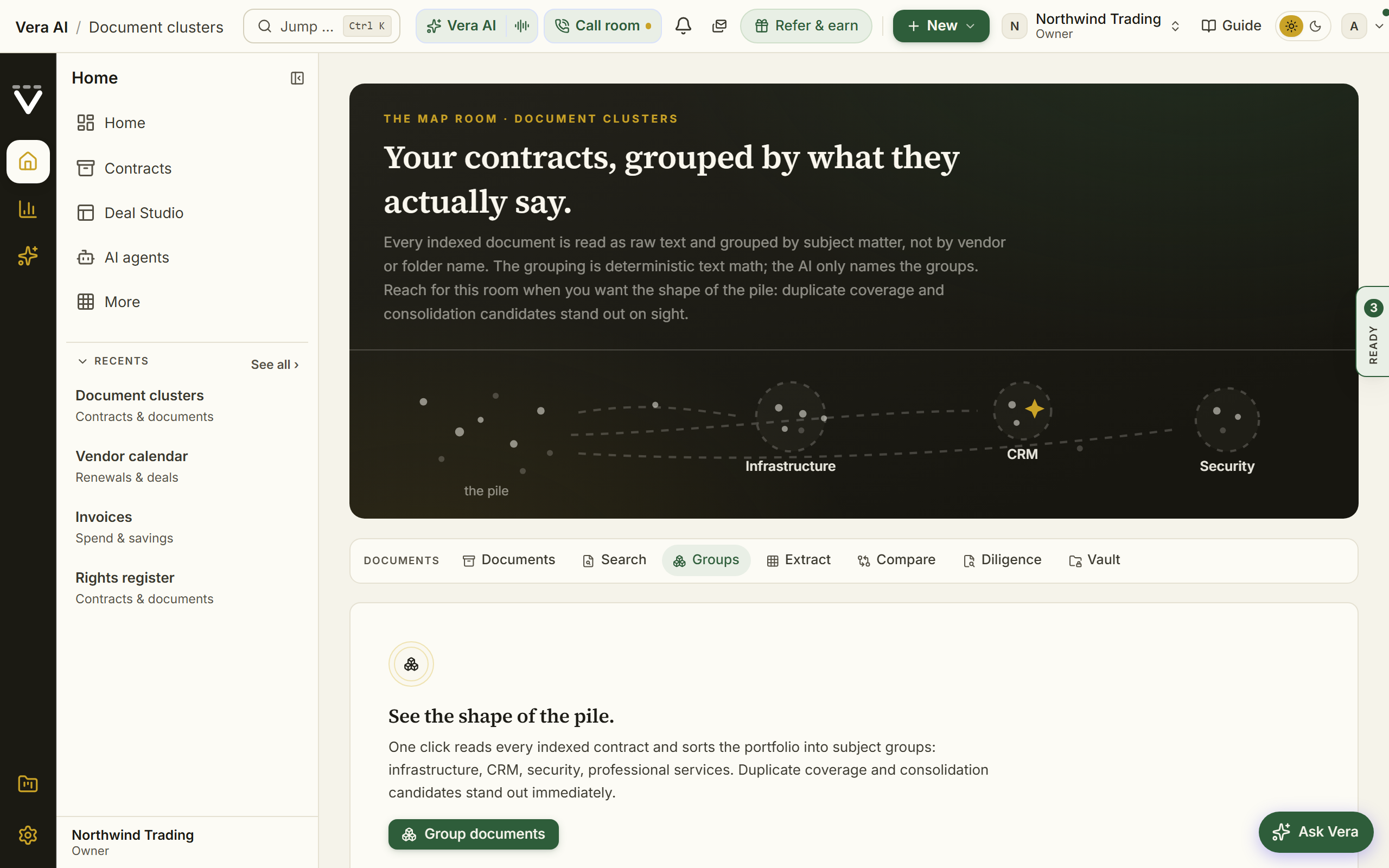
- Find the overlaps: the Spend and Portfolio steps of the Spend Agent show category crowding, and Document clusters groups similar document you may not have known was similar.
- Quantify each overlap: what does each tool cost annually, who actually uses it, and what would the survivor cost at combined volume? The Workload comparator prices workloads across platforms where that is the question.
- Choose the keeper on evidence, then benchmark the keeper at the combined size: consolidation is a volume story, and the peer range at the bigger deal size is your new target.
- Run the two moves in parallel: sunset the loser cleanly, and renegotiate the keeper with the volume as leverage (Plan and run a renewal negotiation).
- Record both outcomes from each contract's own page: the retired spend and the improved rate are separate, provable numbers, and both land in realized savings on the Savings statement.
Forks
- If users defend the duplicate — the workloads may genuinely differ; that is what the comparator is for. Consolidating two real needs into one wrong tool costs more than the duplicate did.
- If both contracts renew far apart — sequence the sunset to the natural expiry rather than paying termination costs; the consolidation can take a year and still be the right move.
Done when: one tool remains per job, the survivor is priced at its true volume, and both savings are on the ledger.
See also: the Spend Agent's Portfolio step · Sunset a vendor cleanly
Respond to a mid-term price increase
The vendor moved the price list mid-term. What you do next depends on document you already hold.
For: whoever owns the vendor · Time: an hour from alert to sent response · You need: the change alert, and your contract on file
Watch: Price watch (1:23)
Steps
- Open the change on Terms watch and open its case file: the change with both published entries side by side, the impact brief priced at your own seat counts, and a response sheet weighing your three options: grandfathering, renewal timing, or acceptance.
- Check what your contract already says: an uplift cap or price-protection clause may make the increase simply inapplicable to you until renewal. The agreement's terms on Agreements and a Contract Agent settle it.
- Verify your invoices have not moved early: Billing watch checks billed against entitled daily, and an increase applied before it contractually can be is a dispute, not a negotiation.
- Send the response from the case: the grandfathering draft opens in your own inbox (nothing sends from the platform), asking the vendor to hold your terms.
- Whatever the outcome, reprice your renewal math: the new list changes next year's baseline, and your renewal preparation should absorb it now.
Forks
- If your contract is silent on mid-term increases — the response sheet's honest read applies: your leverage is the renewal, so bank the grievance and spend it there, in writing.
- If the increase already hit an invoice — jump recipes: Dispute an invoice that does not match your contract, with the price-list diff as your exhibit.
Done when: you know whether the increase lawfully touches you, the response is sent, and the renewal model reflects the new list.
See also: Terms watch · Billing watch
Run a proof of concept bake-off
Two vendors, one structured trial, and a decision that survives scrutiny.
For: procurement running it; the evaluating team scoring it · Time: the setup is an afternoon; the PoC runs weeks by design · You need: written success criteria before any vendor is invited
Steps
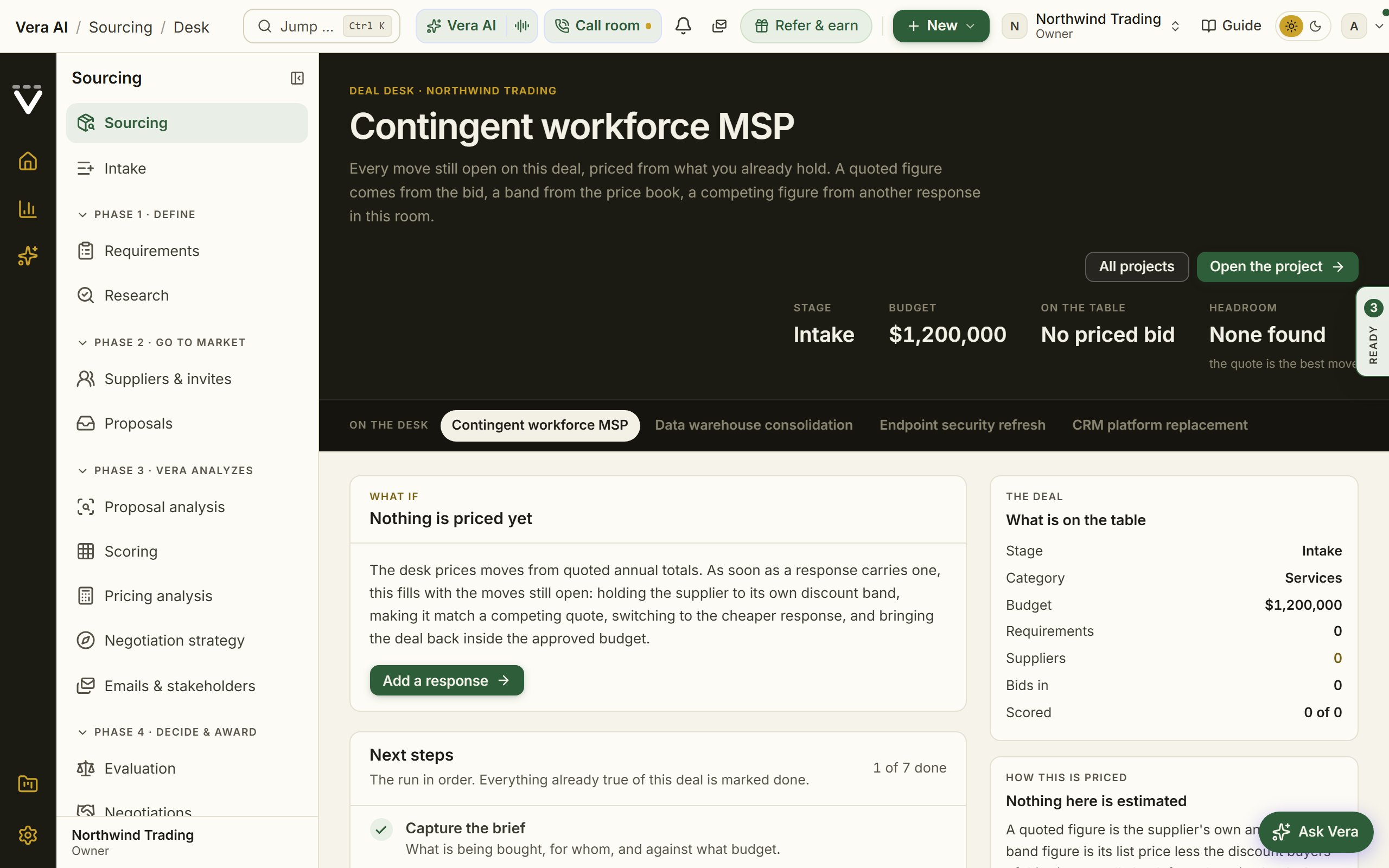
- Open a Sourcing project and write the success criteria first: the requirements, weighted, agreed by the evaluating team before a vendor demo can charm anyone.
- Invite the vendors and run the trial period with scores kept against those criteria in the project, not in inboxes.
- Price the endgame before the end: build the competitive scenarios so each vendor's likely pricing behavior under competition is modeled while both still believe they can lose.
- When the bids land, run them through Quote Face-Off: lines aligned, every line benchmarked, the best mix priced.
- Award in the project with the written why, and take the loser's best terms into the winner's final round.
Forks
- If one vendor knows they are the incumbent favorite — the bake-off's value collapses; competition only prices honestly when it is believed. Keep the scoring blind to preference and the timeline symmetric.
- If the PoC proves neither fits — that is a successful PoC. The requirements were wrong or the market is not there; revisit the request rather than awarding the least bad option.
Done when: the award is scored against pre-agreed criteria, the price reflects real competition, and the file would survive an auditor or a losing vendor's protest.
See also: Sourcing · Quote Face-Off
Take over a colleague's vendor portfolio
Inherit a book of vendors without inheriting its surprises.
For: the new owner of the portfolio · Time: half a day for a real handover · You need: the list of vendors now yours; the departing colleague for an hour if you can get them
Steps
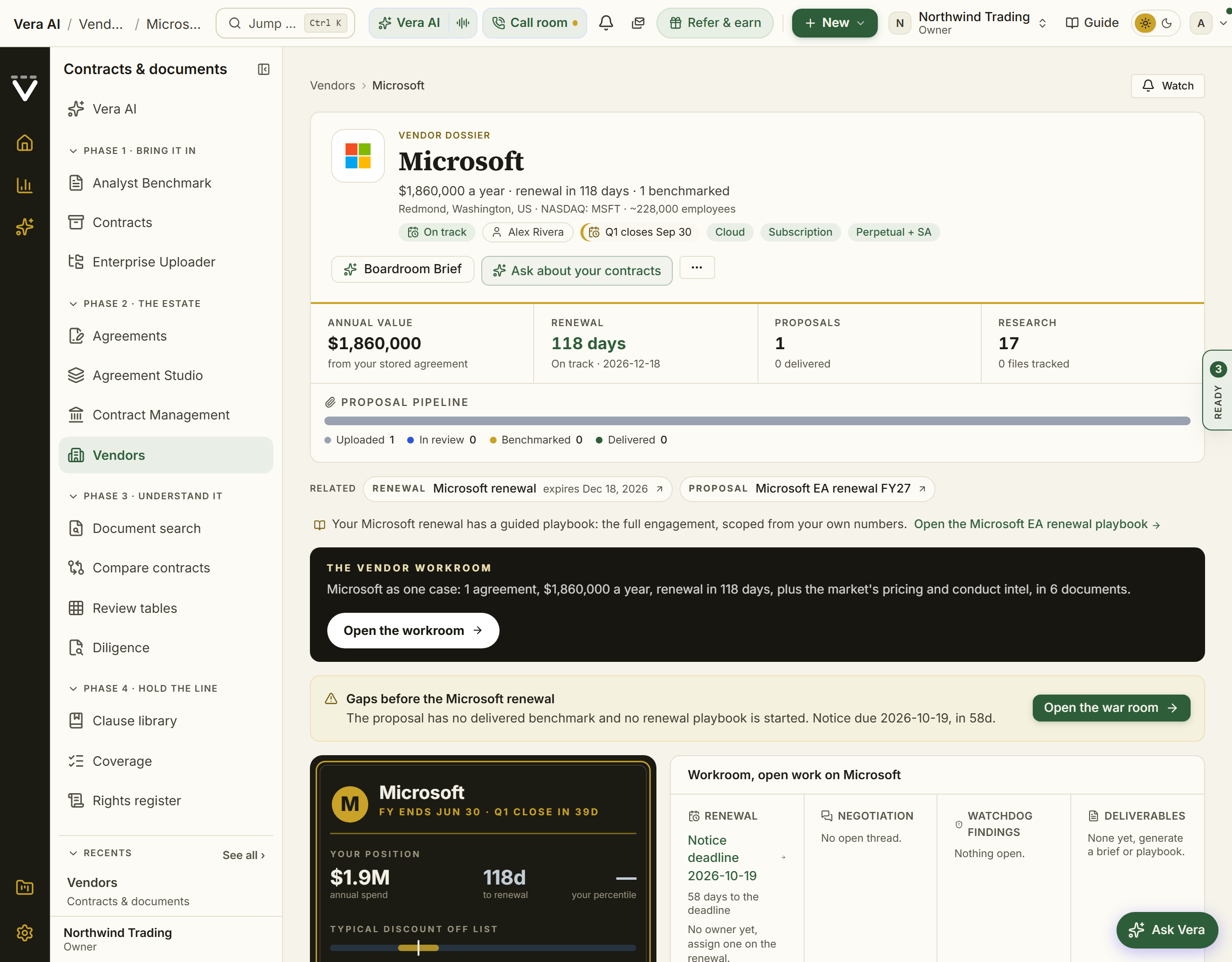
- Walk the book vendor by vendor on Vendors: each page holds the contracts, benchmarks, market intel, and notes in one place, which is most of the handover document people never write.
- Audit the clocks first: on Renewals, check every inherited agreement for expiry and notice dates, and rank by what shuts soonest. Anything inside 90 days jumps the queue (Prepare a renewal 90 days out).
- Read the live deals: open Major renewals and Cases for anything in flight, the mandate, the ledger, and what was promised under Commitments.
- Point the alerts at yourself: alert choices are per person, so the predecessor's subscriptions did not transfer. Turn on money-critical alerts under Notifications and follow your new vendors on Terms watch.
- Ask Vera for the briefing: "catch me up on our Microsoft position" against each major vendor is the fastest first pass, cited, from your own records.
Forks
- If tasks and approvals were assigned to the predecessor — reassign them: Tasks for the open items, and the owner should update any approver seat they held under Deal approvals.
- If the predecessor already left — the records are the handover: the concession ledgers, the audit trail of what was agreed, and the vendor pages' notes were built for exactly this reading.
Done when: every inherited deadline has you as its owner, the in-flight deals have continuity, and the alerts reach you, not a departed inbox.
See also: Vendors · When someone leaves
Prepare the CFO one-pager
One page, five numbers, every one of them defensible.
For: whoever briefs the CFO · Time: 30 minutes · You need: values on agreements and savings recorded; without those, do Connect your data first
Steps
- Pick the five numbers that carry the story: annual estate spend and proven savings this year (the Spend step of the Spend Agent and the Savings statement), renewals closing inside 90 days with their value (Renewals), the estate's market position (the Spend Agent's Portfolio step), and the one risk worth a sentence (Anomalies or the audit exposure on Data health).
- Generate the document through the Report Studio rather than hand-building a slide: the output lands in the house executive-brief format, and Branding co-brands it with your logo.
- Check every figure's provenance before it ships: the Where figures come from page traces each cited number to its source fact and date, which is the difference between a brief and a claim.
- Send it yourself, from your own inbox, with the one-sentence ask you want the CFO to grant.
Forks
- If the CFO asks for the detail behind a number — that is the design working: the ledger row, the savings row's confirming invoices, or the benchmark's evidence section answers without a scramble.
- If this becomes a monthly ask — stop hand-running it: a workflow agent can deliver the recurring version on a schedule.
Done when: the page is sent, every number on it traces, and the ask was explicit.
See also: Build the board pack · Where figures come from
Open a workspace for a subsidiary
A second legal entity gets its own sealed workspace, set up like the first one, faster.
For: org owners · Time: the request is minutes; the setup is the first-hour recipe again · You need: the entity's name and who will own its workspace
Steps
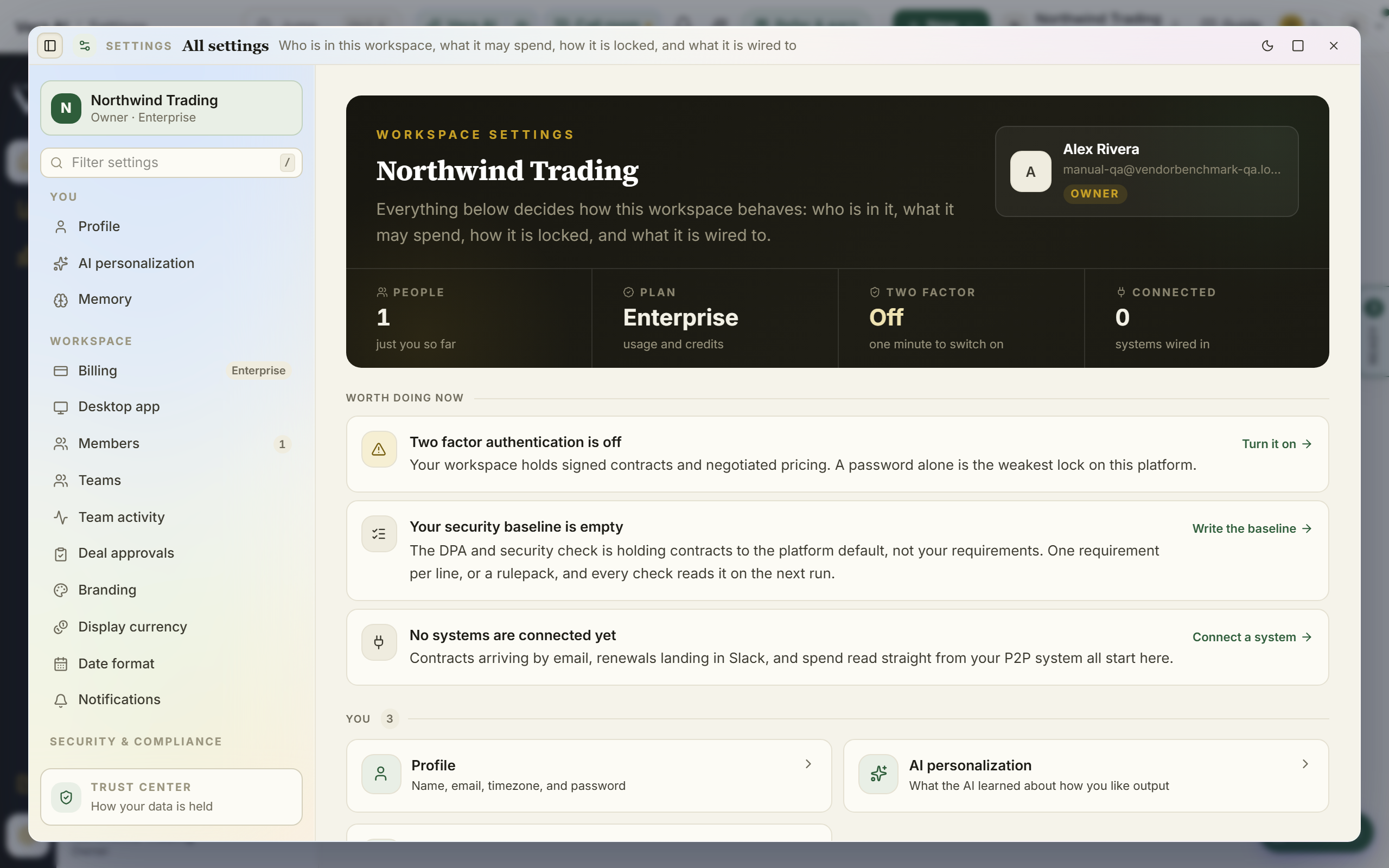
- Ask for the workspace rather than improvising one: message our team from Chat with the entity and the intended owner. Workspaces are sealed tenants, and if your domain has capture on, a colleague self-signing up routes to your existing workspace admin instead of creating a new tenant.
- When it exists, switch between entities with the organization name in the top bar; your account can belong to more than one workspace, and each stays sealed from the others.
- Run the owner's first hour in the new workspace: people, teams, notification stance, security defaults. It goes faster the second time, and nothing carries over automatically, by design.
- Set the display currency under Currency and dates to the entity's own currency if it differs; benchmarks stay in USD everywhere so market comparisons hold across your workspaces.
- Bring in that entity's estate through the ways to bring contracts in, scoped to its own document.
Forks
- If you are consolidating entities rather than adding one — the question inverts: one workspace with Teams separating access may serve better than two tenants. Talk it through with our team before migrating document twice.
- If the same person owns both workspaces — their alerts and personal settings are per account, not per workspace; they choose notification stances in each.
Done when: the new workspace passes the same first-hour finish line as your first one did, with its own estate inside.
See also: The owner's handbook · Migration & data-in
Answer a security questionnaire
Security reviews reward the team that answers from live state instead of last year's document.
For: whoever fields the questionnaire, with an owner for the exports · Time: an hour for a standard questionnaire · You need: the questionnaire, and owner access for the audit and review exports
Steps
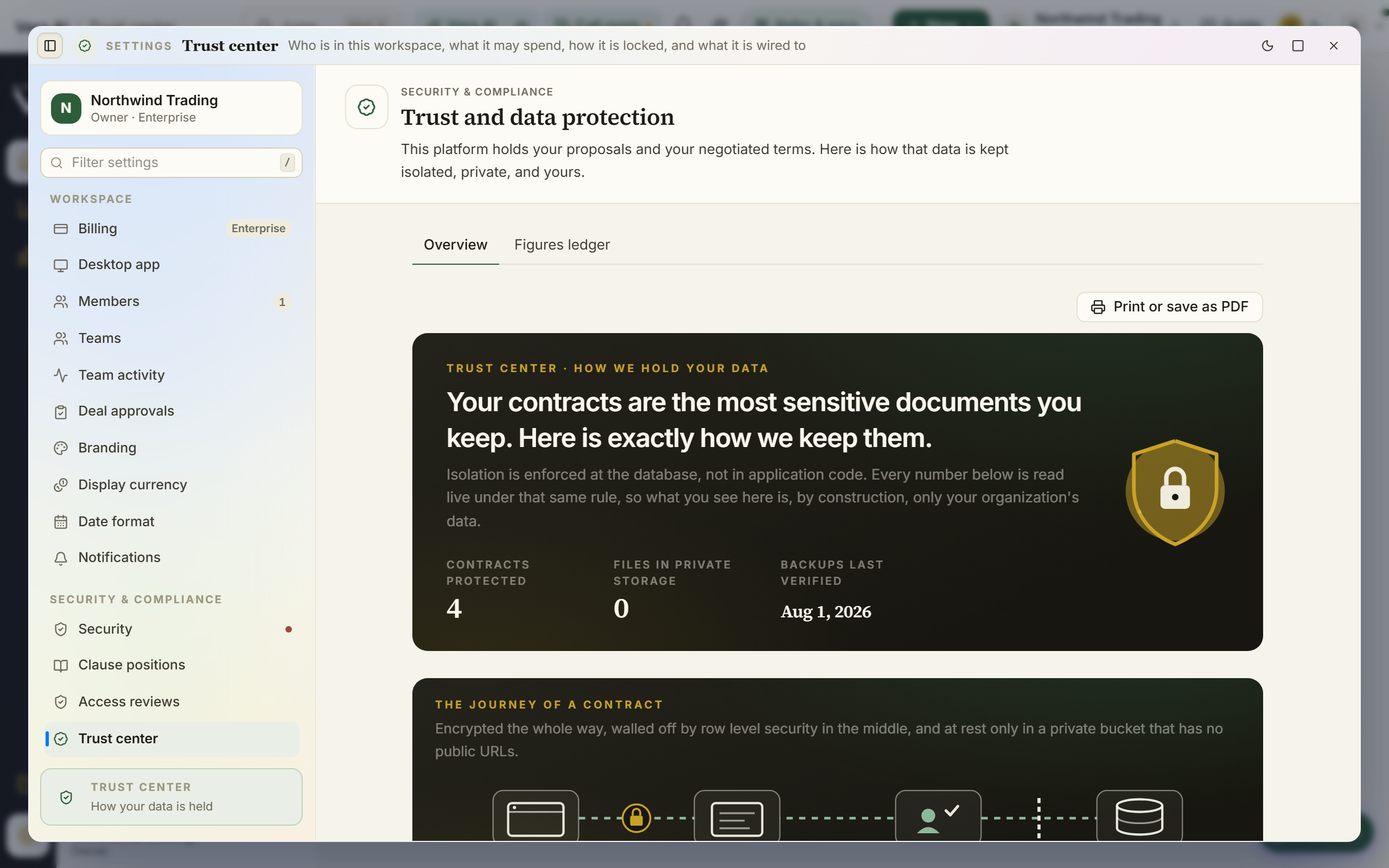
- Start from the Trust center: tenant isolation, encryption and access, audit and deletion, and the data journey diagram, written to be shared with reviewers directly.
- Answer the "prove it" questions from live state, not prose: Security posture shows two-factor coverage, sign-on method, API credentials, and the audit stream as they stand today.
- Export the evidence the reviewer wants: the audit log as CSV (or offer the SIEM webhook for continuous streaming), completed access reviews as CSV, and deletion certificates from Data controls.
- Answer the data-location question precisely: Data controls states where data physically lives, as a read-only fact, currently the United States.
- For the AI questions, the Trust center's "kept yours" chapter covers how the AI handles your data; answer from it rather than paraphrasing from memory.
Forks
- If the questionnaire demands a control the platform states as roadmap — say so plainly with the public claim ladder as the reference; a precise "not yet, tracked publicly" outlasts an optimistic yes.
- If the reviewer wants a live walkthrough — share the Trust center page itself and walk Security posture on a call; live state is the demonstration.
Done when: every answer either quotes live state or attaches an export, and nothing in the questionnaire was answered from hope.
See also: Trust center · Audit log
Get a second opinion before you sign
The deal is agreed, the document is drafted, and one hour of checking is still cheap insurance.
For: whoever holds the pen · Time: about an hour · You need: the final draft as PDF or DOCX
Watch: Second opinion (2:49)
Steps
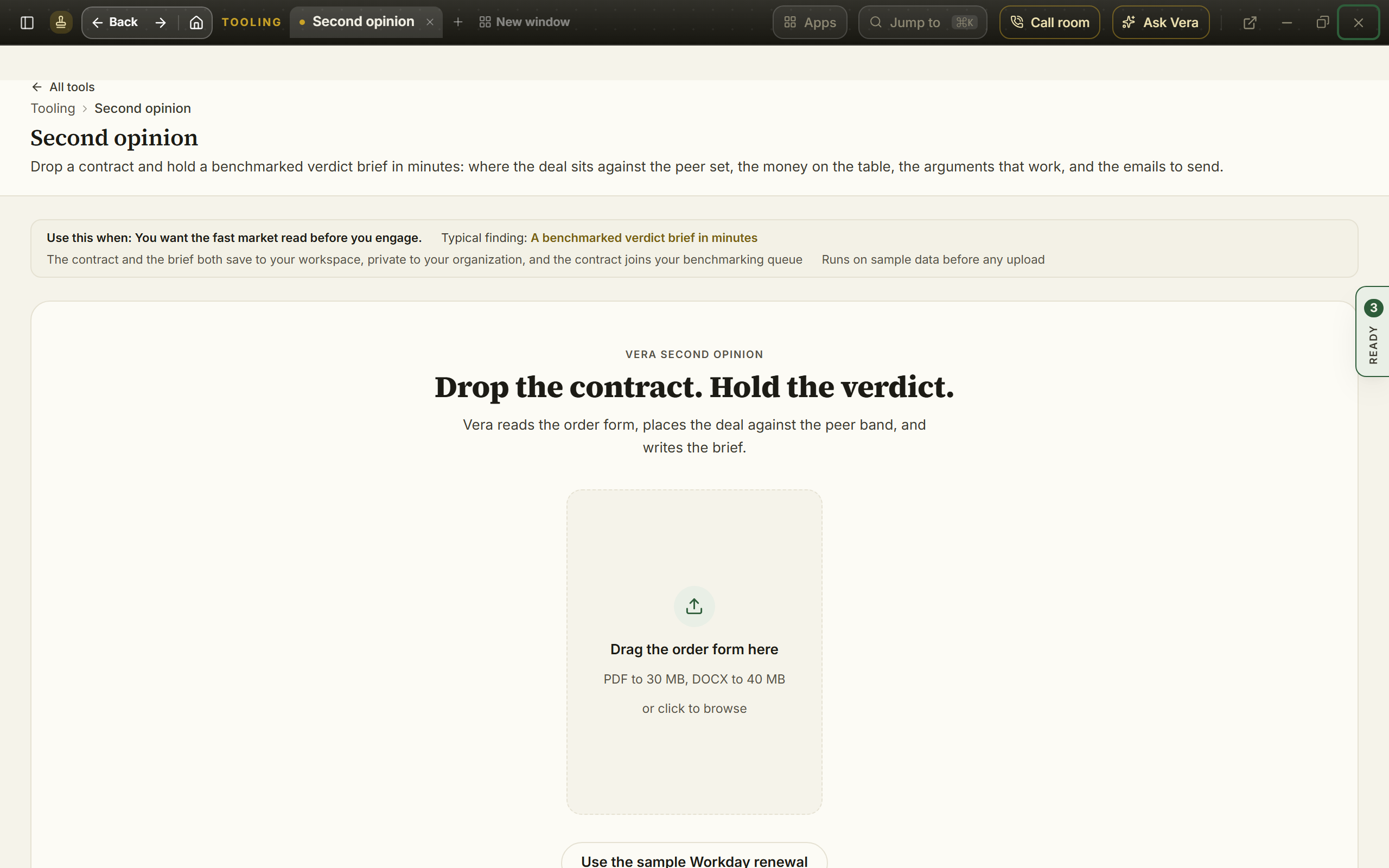
- Run Second opinion on the draft: the market read on the finished deal, while there is still a signature between you and it.
- Run Contract Agent for the clause-by-clause read: risks in plain English and asks with paste-ready language for anything worth one last round.
- Check the draft against your own standard: your Contract policy positions and must-haves, so the deviations are knowing ones.
- Verify the commitments made it in: everything the vendor promised during the negotiation (your Negotiation record's Commitments list) should appear in the document, because a promise not in the contract is a memory.
- If the stakes warrant a human, book Advisory for the final read.
Forks
- If the checks surface something real — reopen narrowly: one precise ask with the clause language attached, not a renegotiation. Late-round precision is respected; late-round breadth burns goodwill.
- If everything comes back clean — sign it and say so in the record: a deal verified as fine is a result, and the post-mortem is short.
Done when: the draft has survived the market read, the clause read, your standard, and the commitments check, and the signature is an informed one.
See also: Second opinion · Contract Agent
Turn a delivered report into the vendor conversation
A benchmark that stays a PDF saved nobody money. This is the handoff from finding to negotiation.
For: whoever takes the report into the deal · Time: 30 minutes from report to sent email · You need: a delivered report (analyst or deal pricing brief)
Watch: The email that writes itself (2:12)
Steps
- Read the report the way it argues: the three answers first (your discount, the peer range, the rank), then the levers and the order to play them, then the talking points, two of which carry lines you can say out loud.
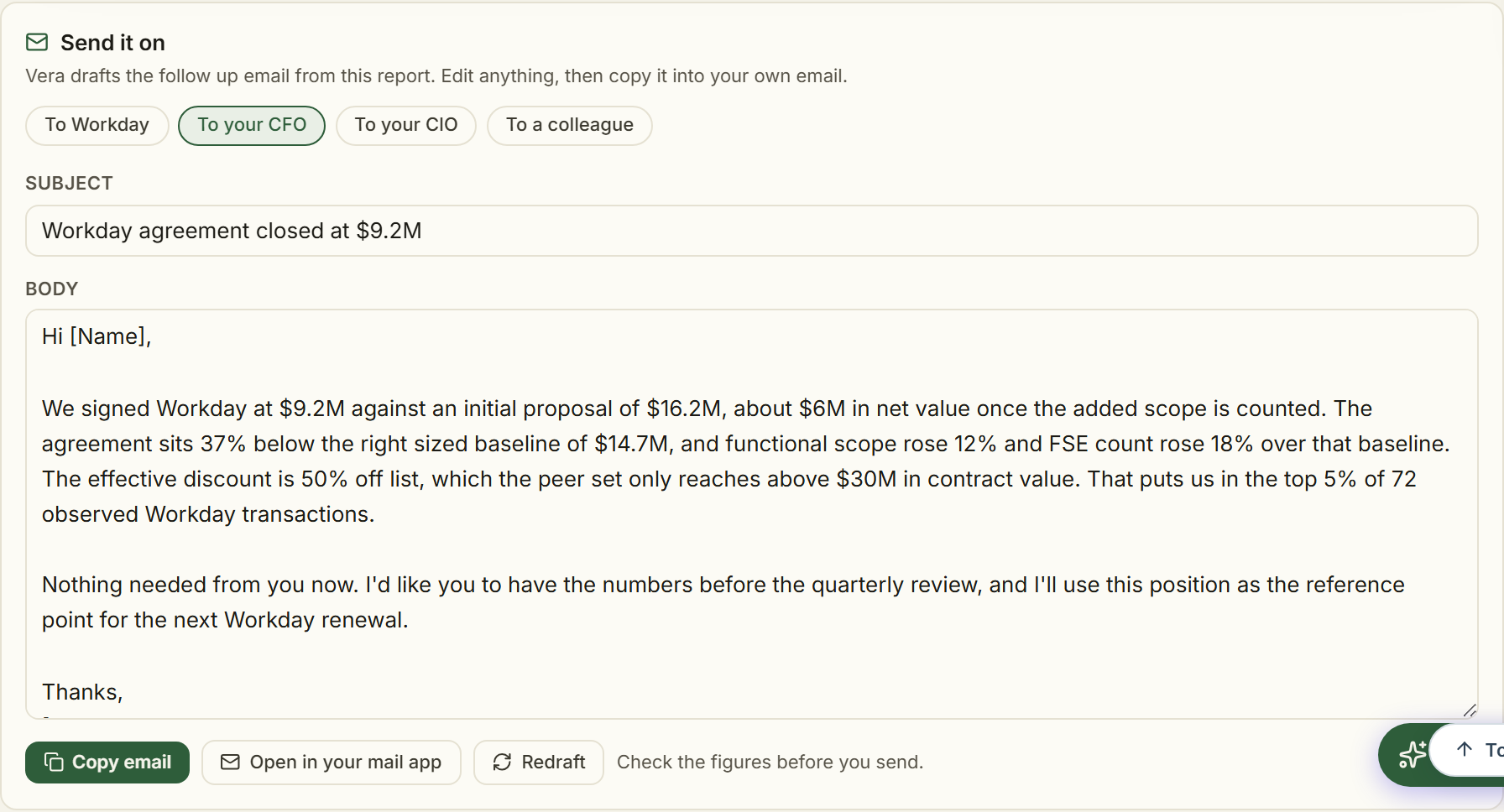
- Use Send it on beneath the report: the follow-up email is drafted for you, opens in your own inbox, and nothing sends from the platform.
- Open the deal as tracked work: from a deal pricing screen, Open a negotiation case carries the position into a timeline with owners; from an analyst report, stand it up per Plan and run a renewal negotiation.
- Commission the follow-on documents you need from the commission row under the verdict, and manage exports and sharing from the deliverable toolbar.
- After the conversation, log what the vendor said in the negotiation record, and let the 30-day outcome question close the loop.
Forks
- If the report says the deal is already fine — use it as a defense brief: lock the rate, play the structural levers, and spend the goodwill on terms. Fine is a finding.
- If the vendor disputes the numbers — every figure is grounded and citation-tagged; offer the basis rather than debating impressions, and let the Where figures come from page back any number they push on.
Done when: the email is sent, the deal is tracked, and the report's levers have owners and dates instead of readers.
See also: The deal pricing screen · Send it on
Run your Monday Renewals app
The weekly operating rhythm, in under 30 minutes, that makes everything else in this chapter rarer.
For: whoever owns renewals · Time: 20 to 30 minutes, Mondays · You need: the calendar live and your Monday brief sections chosen
Steps
- Open the Monday brief window and work its first moves, then read your Monday brief email if you switched it on: the vendor market news, renewals coming up, watchtower changes, and savings and wins, in one send (Notifications chooses the sections).
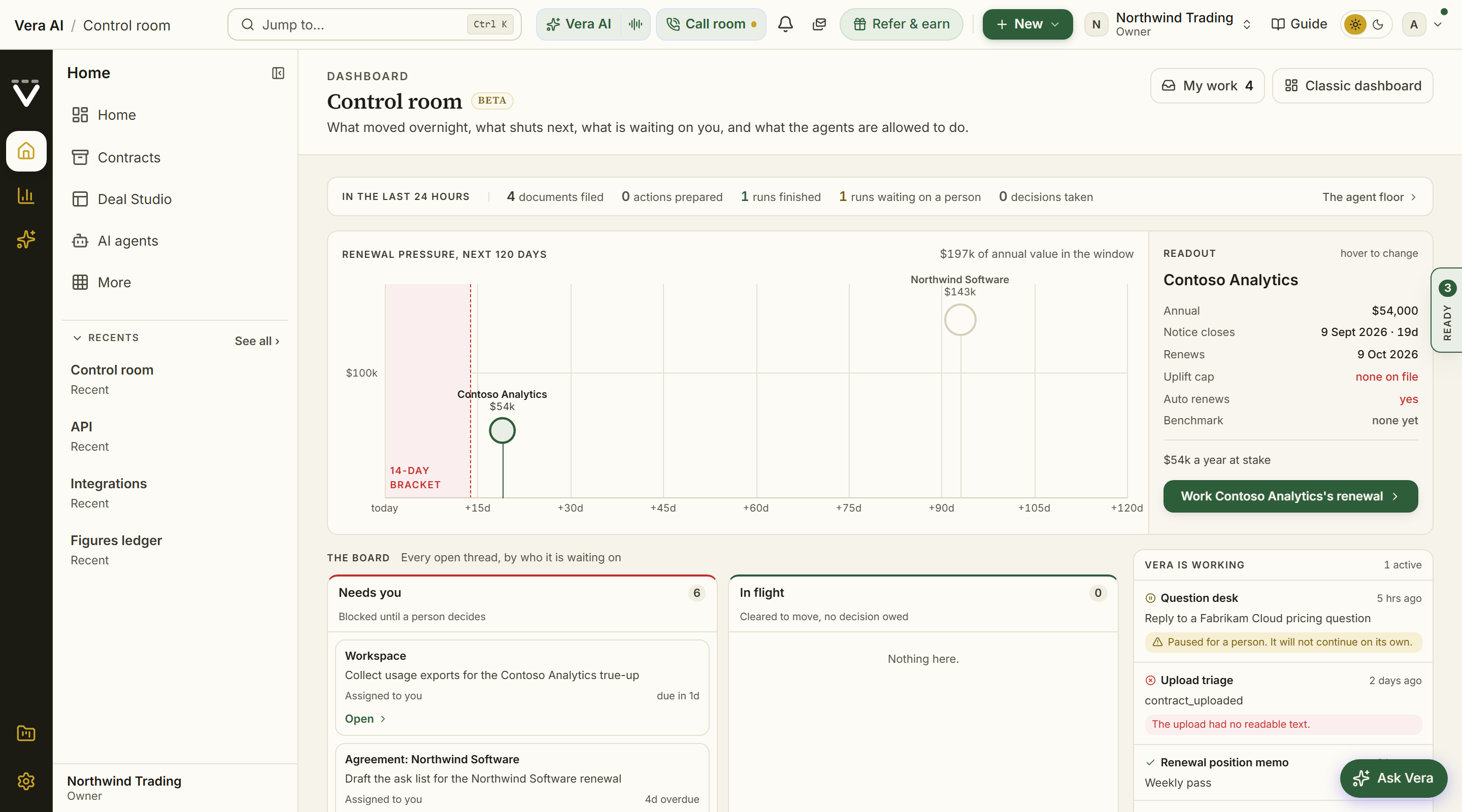
- Open the Control screen: the renewal pressure timeline puts every notice window shutting inside 120 days on two axes, and the first circle inside the red 14-day bracket is your morning.
- Clear what waits on people: your own My work queue, and the board's Needs you lane if agents or workflows run in your workspace.
- Scan the week's market: the Market news with the estate filter on, and any Terms watch seismograph that struck upward in brick.
- Move one deal forward deliberately: the nearest renewal gets its next action booked before the meeting-driven week eats the calendar.
Forks
- If the timeline shows nothing — verify it is true quiet rather than missing data: an agreement without an expiry and notice period cannot appear. An empty control screen means the rows are missing, not that nothing is happening.
- If Renewals keeps surfacing the same stuck deal — stop touching it weekly and change its shape: escalate per its recipe (90 days, 2 weeks, or hand it to Vera).
Done when: nothing sits unowned inside its notice window, the Needs you lanes are clear, and one deal moved.
See also: Control screen
Bring the platform into email and chat
Meet the team where they already work: contracts in by email, alerts out to Slack or Teams, Vera in the channel.
For: org owners connect; each person links their own DMs · Time: 30 minutes for the owner; two minutes per person · You need: admin rights in your Slack or Teams to install the bot
Steps
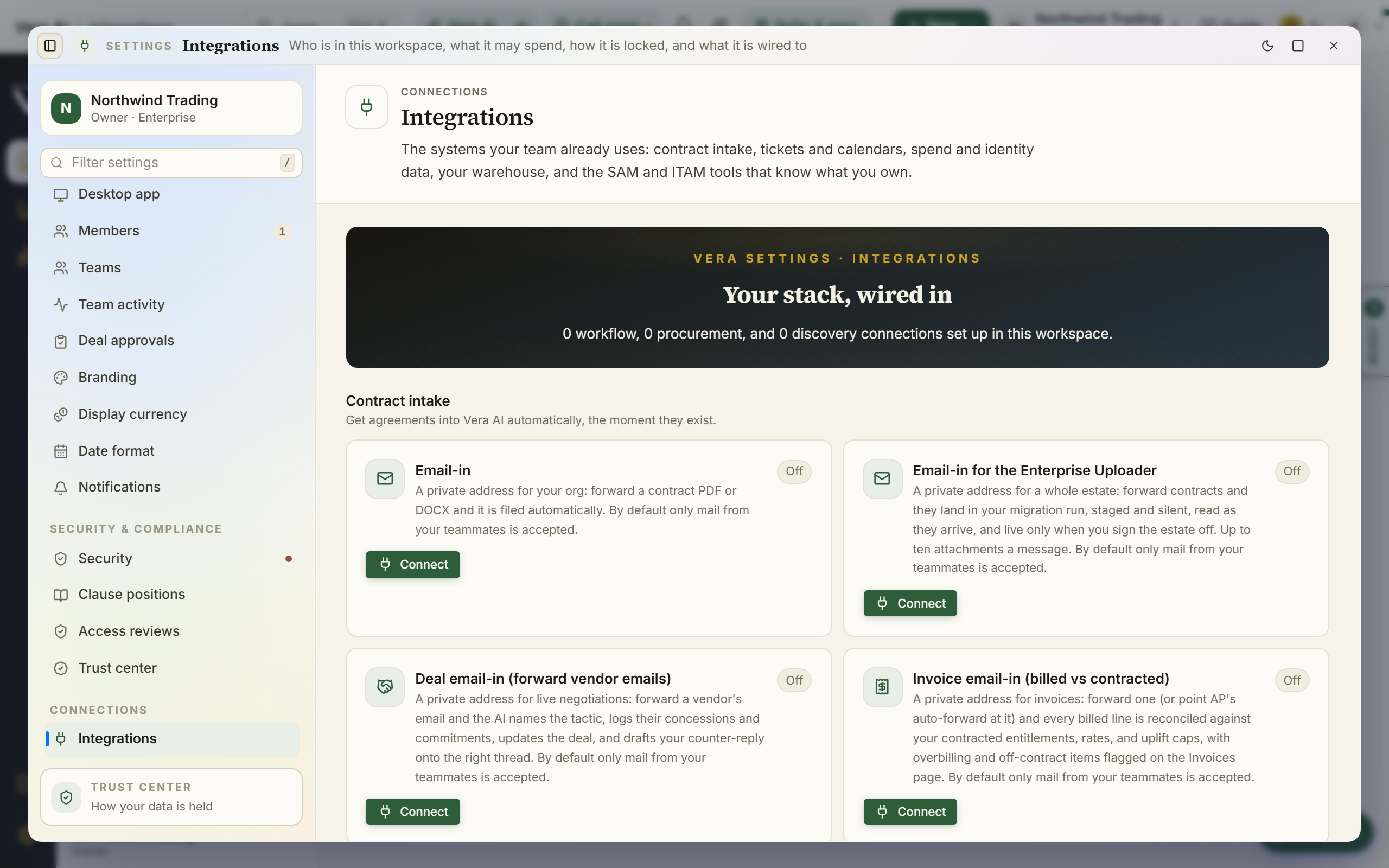
- An owner connects the channels under Integrations: the Slack or Teams bot for the workspace, and the org alert channel if the team wants shared alerts (Notifications, webhooks).
- Turn on the intake routes while you are there: the email-in addresses for contracts and requests, the invoice forward-in address, and folder watch on Drive, SharePoint, or Box, so documents file themselves from the places they already land.
- Each person who wants renewals in their DMs links once: send the Vera bot a direct message in your company Slack or Teams, then flip the Chat DM toggle on the alert types you want under Notifications. The DM lane is strictly opt-in per alert type.
- Use Vera where the conversation is: the chat clients carry the same assistant into the channel, and email works as an interface for teams that live in their inbox.
Forks
- If IT balks at the bot install — start with the intake routes alone: email-in requires nothing installed in your tenant and delivers most of the daily value.
- If the shared channel gets noisy — that is a configuration smell: move individual alert types back to personal DMs or the in-app inbox, and keep the shared channel for money-critical only.
Done when: document flows in without anyone uploading, the right alerts reach the right surface, and nobody misses a deadline because it lived in the wrong tool.
See also: Integrations · Clients: what runs on your machines
Rehearse a negotiation before the real one
The first time you make your ask should not be in front of the vendor.
For: whoever takes the call · Time: an hour, ideally the day before · You need: the position (targets, walk-away) already set
Steps
- Read the deal pricing brief's likely rounds and counters, so you meet the vendor's moves before any of them is real.
- Rehearse the two lines that matter out loud: your opening ask (grounded in the range) and your walk-away response. The deal pricing brief's talking points carry lines written to be spoken.
- Pressure-test the mandate against the rehearsal: if the practice rounds keep breaking through your walk-away, the walk-away is not real yet; fix it with the deal's owner before the call, not during it.
- Book the real conversation on your geometry (Vendor calendar) and go make the ask you practiced.
Forks
- If rehearsal exposes a hole in the case — better now: the missing number is usually one instant benchmark or one decode away, and the call can wait a day.
- If you rehearse well but freeze live — bring the document: the brief's talking points are designed to be read from, and there is no penalty for a buyer who consults their notes.
Done when: you have heard yourself make the ask, the counters have answers, and the walk-away survived practice.
See also: Vera Deal-Room · Major renewals
Plan the year's vendor strategy
The annual sit-down that turns next year's renewals from a series of surprises into a calendar of planned negotiations.
For: the function's lead · Time: a half day, once a year · You need: the estate on file with values and dates; a year of watching helps
Watch: The year runs you (3:09)
Steps
- Open the Spend Agent: its Savings step ranks every opportunity with the date it must be decided by, and its Board step turns the chosen ones into the year's plan and the decisions for the committee, built from your live records.
- Read the estate's shape before accepting the plan: the Spend Agent's Portfolio step for concentration and market position, and the Portfolio benchmark to rank where the money and the gaps actually are.
- Mark the year's geometry on the Vendor calendar: every renewal, every notice deadline, and every vendor fiscal quarter end that falls inside your windows.
- Assign the year: each significant renewal gets an owner and its preparation recipe now (12 months out for the far ones, 90 days queued for the near ones).
- Put the watching in place for the year: Terms watch follows and the Monday Vendor Radar across your top vendors, so the file builds itself between sit-downs.
Forks
- If the strategy document reads thin — it reflects the data: values and dates missing from agreements starve it. An hour of Connect your data before the sit-down pays for the afternoon.
- If leadership wants the strategy presented — that is the board pack; this recipe is the working session that makes the pack honest.
Done when: every significant renewal in the next 12 months has an owner, a recipe, and a date, and the calendar knows things the vendors will not tell you.
See also: Spend Agent · Vendor calendar
Sunset a vendor cleanly
Leaving a vendor is a project with deadlines, not an email. Done well, it ends with money on the ledger and your data in hand.
For: whoever owns the vendor, with legal on the exit terms · Time: an hour to plan; the exit runs to the contract's clock · You need: the decision to leave, made; the contract on file
Steps
- Find the real exit date first: the notice deadline on Renewals is the date that matters, and missing it usually buys an unwanted year. If it is close, file the non-renewal notice before perfecting the plan.
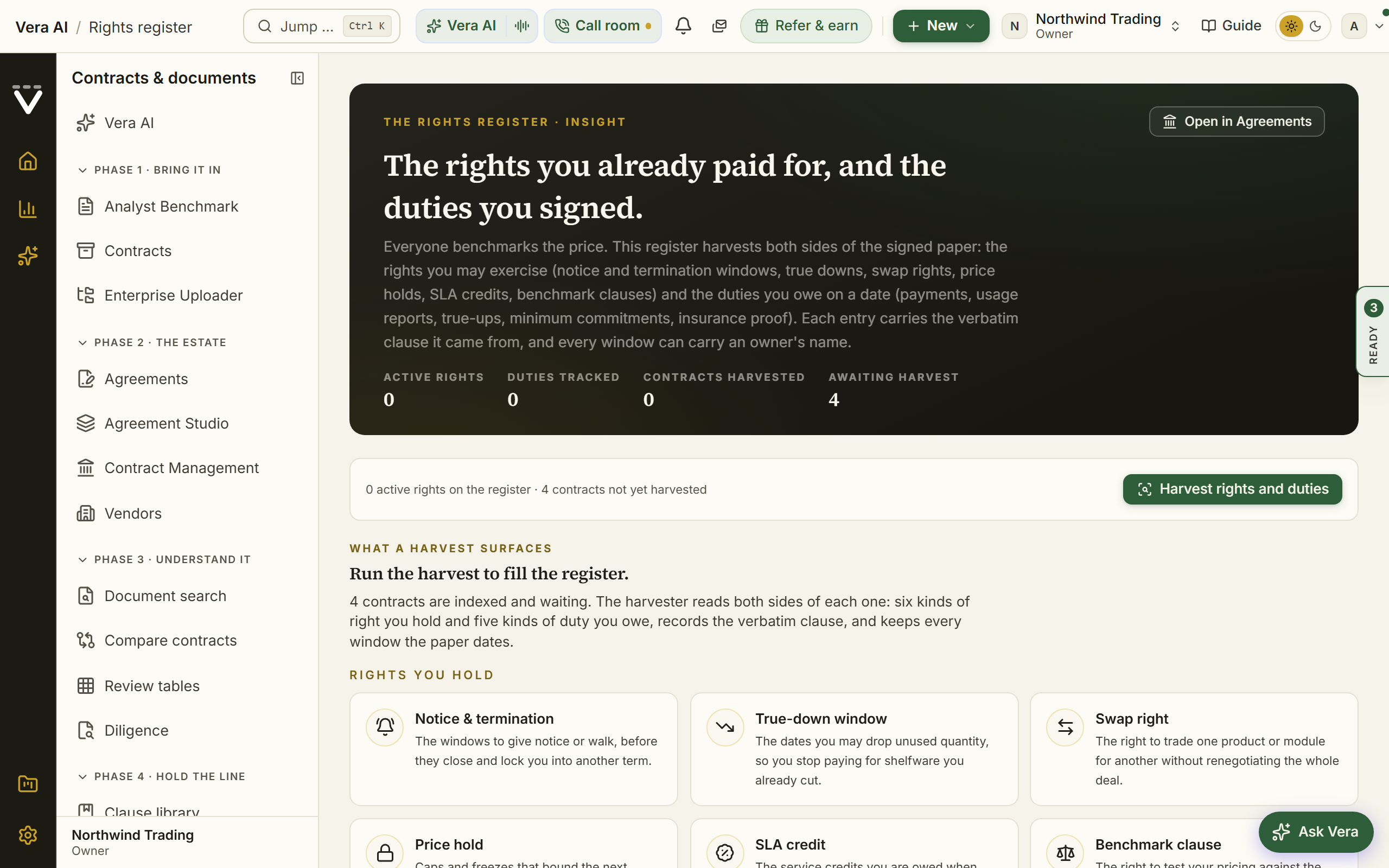
- Read the exit terms from the document, not from memory: run Contract Agent on the agreement for the termination mechanics, data return and deletion obligations, and any surviving clauses, and check the Rights register for paid-for rights (transition assistance, export help) you already own.
- Plan the overlap: the replacement's timeline against the incumbent's end date, with the gap or overlap priced deliberately (Sourcing if the replacement is not chosen yet).
- Execute the data exit as its own workstream: what comes back, in what format, by when, and the deletion confirmation you want in writing from the vendor.
- Close the money: the retired spend is a saving with a start date; record the outcome from the contract's page so it verifies against the invoices that stop arriving and lands in realized savings on the Savings statement.
- Keep the document: the expired agreement stays in Contracts as history, correctly judged as such, where audits and comparisons can still reach it.
Forks
- If the vendor makes leaving hard — the decoded exit terms are your script; obligations they carry (data return, transition help) are asks you make in writing, on the clause.
- If the sunset is part of a consolidation — run it inside Consolidate duplicate tools so the keeper's renegotiation and the loser's exit share one timeline.
Done when: notice was on time, the data is back, the last invoice is the last invoice, and the saving is on the ledger.
See also: Contract Agent · Rights register
Ask Vera well
The assistant is an analyst, not a search box. Asked well, she answers with numbers you can forward.
She has a consistent character, and it is the same person on every surface: quick, warm, dry when it fits, willing to say plainly when she does not know, and never flattering about the question. How much of it shows depends on who is listening. On a live call she is a colleague on the phone. In a meeting where the vendor can hear her she is courteous and precise, and never makes a joke at their expense. In typed chat she is a little more explicit about warmth, because text carries no tone. In anything you might forward, a brief or a memo, the character shows only as clarity and a point of view, and in no other way.
For: anyone on a plan that includes AI · Time: this recipe saves time; that is its point · You need: a real question
Watch: Ask the market anything (2:20)
Steps
- Ask from where the context is: Ctrl/⌘ J opens Vera over whatever you are looking at, and the screen you are on is context she can use.
- Name the vendor and the decision, not just the topic: "am I overpaying?" is weaker than "is 18 percent off list good for Salesforce at our size, and what should I ask for?" The question that names a number gets a number back.
- Attach the document when the question is about your document: the Ask bar takes a contract, and grounded means her answer cites your document and the benchmark evidence rather than gesturing at them.
- Follow the citations before you forward: every figure carries its basis, and thirty seconds of checking is what makes the answer forwardable.
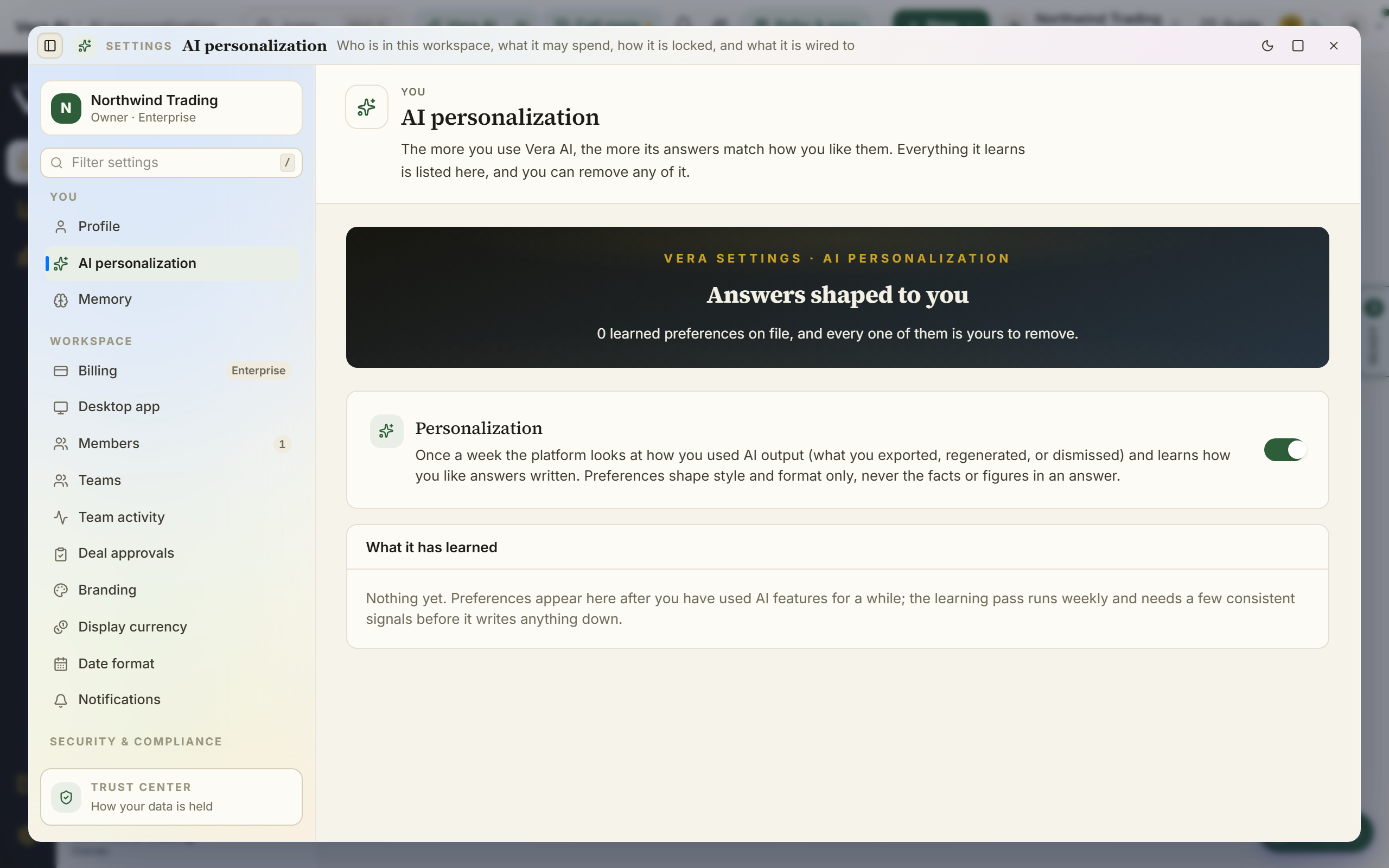
- Teach her when she misses: a written feedback comment is the fastest way to shape future answers, what Vera has learned is inspectable and removable under Vera and you, and your organization's negotiation Negotiation memory is worth keeping current, because briefs and mandates open with it.
Forks
- If the answer seems generic — the question probably was: add the vendor, the size, and what you will do with the answer, or ask from the screen that holds the record instead of from a blank page.
- If you hit the daily fair-use meter — it warns before it bites, and the meter near the input says exactly what remains today (Chapter 10).
Done when: the answer is cited, checked, and specific enough to act on, and the correction, if one was needed, was taught rather than swallowed.
See also: Vera AI · Vera and you
Get unstuck
Every help surface, in the order to try them.
For: anyone · Time: the whole ladder takes minutes · You need: nothing
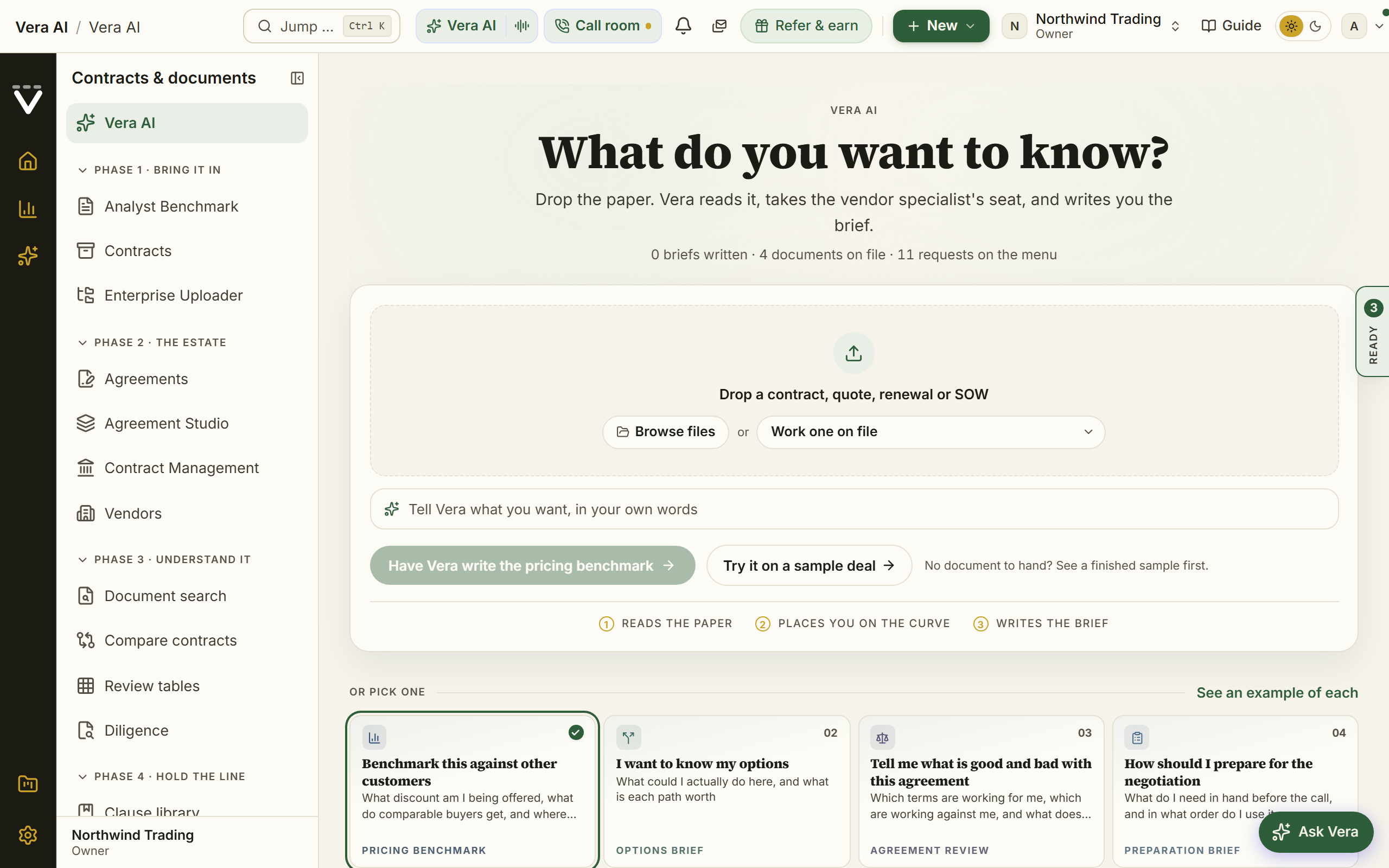
Steps
- Ctrl/⌘ / explains the current screen and answers questions about it in place, and the Guide button in the top bar opens this manual at that screen's own section.
- Press Ctrl/⌘ J to open Vera over whatever you are looking at; ask about a price, a clause, or how the platform works.
- Check Troubleshooting for the symptom-first fixes, and Plans, allowances & limits if a feature looks locked.
- Message our team from Chat: the "Vera AI team" thread reaches our analysts directly, and Support tracks the tickets.
- For deal help rather than product help, book Advisory.
Forks
- If a page you expect is missing from your menu — nothing is broken: the short menu hides the long tail. Troubleshooting explains the three places it went, and Ctrl/⌘ K always finds it.
- If it is genuinely broken — report it from the account menu (Report a bug): the page, browser, and viewport attach automatically, you get a reference code, and bugs are typically fixed within 24 hours.
Done when: you have your answer, or a reference code and a human on the other end.
See also: Troubleshooting · Chat
Next: Chapter 08 · Glossary & FAQ
Was this page helpful?
Thank you. Your note goes straight to the team that writes this manual.